You're halfway through a tender and can't remember which version of the case study is current. One portal has a clarification waiting. Another has a deadline in your inbox. A spreadsheet shows three opportunities, but nobody knows who owns the next action.
That's why manual bidding feels chaotic. The work isn't only writing. You're finding suitable contracts, checking rules, gathering evidence, answering questions and submitting everything on time.
Introduction
So, what are bid management tools? They're shared workspaces that bring those jobs together. A useful tool helps your team discover opportunities, organise each bid, reuse reliable content and prepare responses without starting from a blank document every time.
That matters particularly in the UK public sector market. One 2026 overview counted 51,608 distinct procurements, with around £185 billion in advertised value, awarded to 28,622 suppliers by 3,658 buying organisations. The market overview shows why manual monitoring becomes difficult as volume grows.
The practical answer isn't “buy software”. First, work out which part of the process is failing. Are you missing suitable tenders? Are colleagues rewriting answers you've already produced? Or does the response stage take so long that a deadline becomes a crisis?
Bidwell's model makes the workflow easy to understand through three connected jobs:
- Tender monitoring: finding relevant opportunities across the main UK portals.
- Knowledge base reuse: keeping case studies, policies, credentials and past answers organised.
- AI response generation: producing a first draft from that approved material.
This guide explains how those jobs fit together, what features to assess and when adopting a tool makes sense. It'll also cover the portal and threshold rules that make UK bidding different from a single-source search.
What Bid Management Tools Actually Do
Think of a bid management tool as a control tower. It doesn't fly the aircraft or make the commercial decision for you. It gives the team one view of what's arriving, what needs attention and what could collide with another deadline.
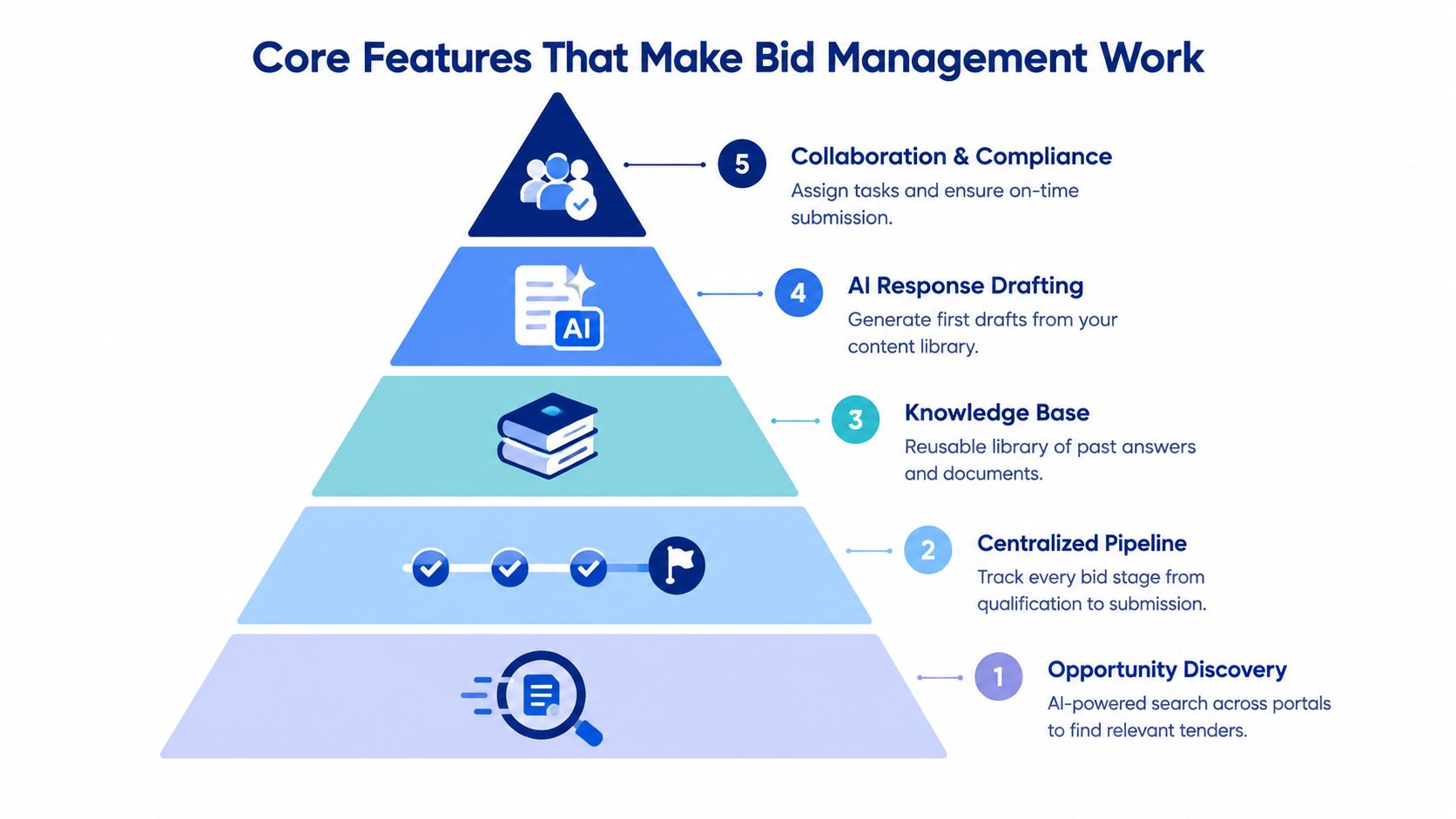
The process starts with discovery. A tool checks relevant sources, captures opportunity details and helps you decide whether a contract fits your organisation. It can then move a suitable tender into a pipeline, where people can record ownership, bid or no-bid decisions, clarification dates and submission tasks.
That's a major shift from searching once and saving a document somewhere. You're managing the opportunity through its full lifecycle, from first alert to final submission and later reuse of the response.
Key concept: A bid management tool isn't just a document editor. It's a workflow system for deciding, preparing and delivering bids.
The working sequence
Once an opportunity is accepted, the tool should connect the response to your existing knowledge. Instead of asking an operations manager for the same policy again, the bid writer searches a controlled library. Instead of drafting every answer from scratch, the team uses approved evidence as the starting point.
The final step is delivery. Tasks go to named contributors, deadlines stay visible and reviewers can see which answers are complete, weak or waiting for evidence. That creates a record of how the bid was prepared.
If you're also tracking campaign or referral activity around your business, a separate guide to link tracking tools for freelancers can help with that measurement work. It's different from tender management, but the principle is similar: keep activity visible rather than relying on scattered notes.
Core Features That Make Bid Management Work
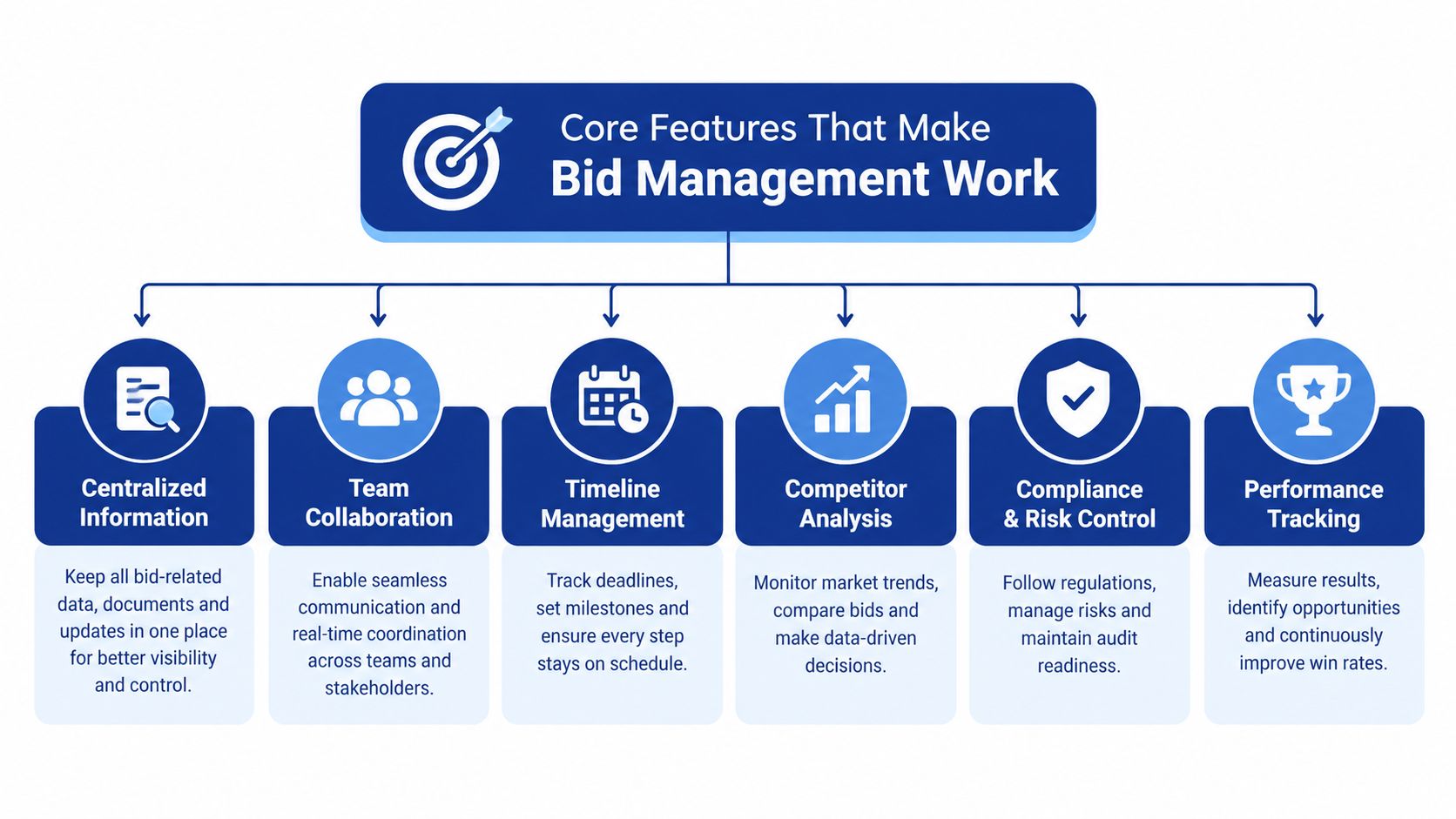
A “bid management tool” usually combines several jobs. The useful test is simple: can it help your team find the right tender, reuse approved knowledge and produce a checked response?
Opportunity discovery and tender monitoring
Monitoring has to match the UK procurement workflow. Relevant notices may sit across Find a Tender, Contracts Finder, Public Contracts Scotland and Sell2Wales, so relying on one portal can leave gaps.
A useful setup can alert the team to service categories on Find a Tender and summarise the buyer, scope, deadline and stated requirements. This is Bidwell's tender monitoring pillar. The aim is qualification, not a larger pile of notices. Your team needs enough context to decide whether an opportunity fits before anyone starts writing.
Collaboration and workflow management
Once a tender is worth pursuing, ownership needs to be visible. A bid manager can assign pricing to finance, cyber-security evidence to IT and mobilisation content to operations. Each contributor sees the same deadline and status, rather than keeping a separate personal list.
The workflow connects the three pillars. Monitoring brings in the opportunity. The knowledge base provides evidence. AI response generation uses that approved material to create draft answers.
Content library and knowledge base reuse
A useful library stores more than previous proposals. Include policies, accreditations, staff CVs, case studies, service descriptions and answers that have passed internal review.
Tags and folders should reflect how buyers ask questions. Organise material by portal, buyer type, service line and threshold context where those differences affect the evidence required. The GOV.UK Contracts Finder guidance explains that geography and contract value affect where notices appear. Your library should make the matching evidence easy to find.
AI-assisted response generation
AI drafting depends on the material supplied to it. The system should match a tender question with relevant content, create a first draft and show the source material behind it. A person still checks accuracy, tone, scope and any commitments the business can deliver.
That is Bidwell's third pillar, AI response generation. It removes repetitive starting work while leaving commercial judgement with the bid team. A reviewer can then make the answer specific to the buyer instead of accepting generic text.
Analytics and reporting
Reporting shows how the process behaves across the pipeline. Review which opportunities reached submission, where approvals stalled and which questions repeatedly needed new evidence.
Those findings improve the other pillars. Monitoring shows what the team pursued. Drafting highlights where AI saved effort or needed correction. The library reveals recurring gaps. Bidwell's product overview shows how these functions can sit within one workflow.
How Bid Management Tools Help Your Team Win More
A bid manager can lose an afternoon before writing a single answer. They search emails for a case study, ask a subject expert for the latest policy, check an old submission and then confirm which portal and threshold rules apply. A bid management tool brings those steps into one workflow, so the team can spend more time improving the response.
Bidwell frames that workflow around discovery, knowledge reuse and AI response generation. Discovery helps the team find relevant opportunities across fragmented procurement portals and apply the right threshold context. Knowledge reuse brings approved evidence into the response process. AI response generation creates a first draft from that material. A reviewer still checks facts, tone, scope and any commitments the business can deliver.
The time saved comes from removing repeated searching, not from removing judgement. Without a knowledge base, a bid writer requests a case study, waits for a colleague, finds an old document and rewrites it. With organised reuse, they locate the approved case study, check that it answers the question and adapt it to the buyer's requirements.
| Area | Manual Approach | With a Bid Management Tool |
|---|---|---|
| Time | Writers search emails, folders and portals before drafting. | Opportunity monitoring and reusable content reduce preparation work. |
| Accuracy | Teams may use an old policy or inconsistent wording. | A controlled knowledge base gives reviewers a clearer source. |
| Collaboration | Contributors receive separate requests with unclear ownership. | Tasks, statuses and deadlines sit in one workflow. |
| Reuse | Past answers remain buried in submitted documents. | Relevant evidence can be searched and adapted for a new tender. |
Why this matters for smaller teams
Large organisations may have dedicated bid writers, subject specialists and reviewers. An SME often has one bid manager coordinating people who already have full-time operational roles.
A shared workspace gives each contributor a precise question, a deadline and relevant starting content. It doesn't guarantee an award. It does make the work easier to control and reduces errors caused by several people editing disconnected files.
The gain is more than speed. Consistent answers help reviewers spot a genuine evidence gap. Clear ownership makes it less likely that a clarification or approval disappears in an inbox. A searchable library lets each completed bid improve the next one instead of becoming a forgotten archive.
For examples of workflows by organisation type, see Bidwell's bid management use cases. Choose a tool because it solves a costly process problem, not because its feature list is long.
When You Should Adopt a Bid Management Tool
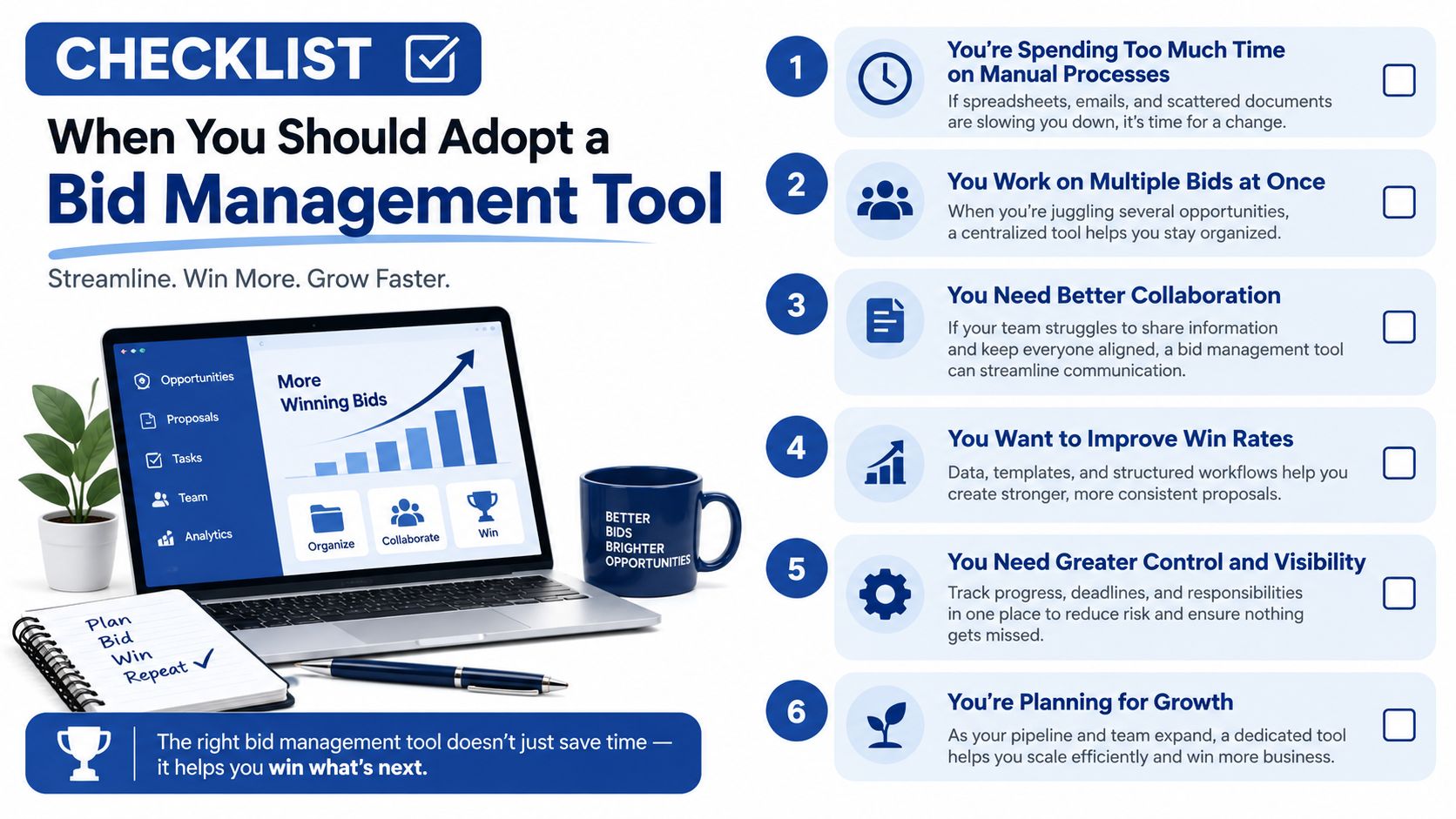
Your team is checking three portals, searching old bids for evidence and asking a subject expert to rewrite the same answer again. A tool becomes useful when that pattern keeps delaying work or creating avoidable risk. You don't need a large bid department. You need a repeatable problem that manual methods aren't handling well.
UK procurement work splits into discovery, knowledge reuse and AI response generation. These jobs connect, but they don't happen in one place. A portal may help you find a notice, while your evidence sits in shared folders and the final response is drafted elsewhere. Bidwell's three pillars bring those parts together, including the portal and threshold differences that can otherwise leave gaps.
Check your portal coverage
The official sources serve different roles. Find a Tender is the government portal for higher-value public contracts. Contracts Finder guidance directs suppliers to Contracts Finder for English and non-devolved opportunities below £139,688 including VAT, while Scotland and Wales use Public Contracts Scotland and Sell2Wales.
The same guidance says contracts over £12,000 including VAT in England, or over £30,000 outside central government, should appear on Contracts Finder. Those rules affect more than compliance. They determine where you set alerts, how you classify opportunities and which evidence you prepare.
From 24 February 2025, Find a Tender began publishing both above-threshold and below-threshold notices for new UK procurements. The Open Contracting analysis records open tenders rising from 27% to 41% between March 2025 and February 2026, while direct procedures fell from 53% to 34% over the same period. More visible notices and a more structured process make organised monitoring increasingly useful.
Use these readiness signals
You're ready to assess a tool if:
- Portal checking takes too long: Your team checks several sources and still worries that a notice was missed.
- Deadlines arrive as surprises: Dates sit in inboxes, calendars and spreadsheets without one clear owner.
- Answers keep being rewritten: People recreate policies, case studies and service descriptions for each bid.
- Threshold rules cause uncertainty: Contributors aren't sure which portal or evidence set applies.
- Review happens too late: Senior staff see the response when there's no time for a proper challenge.
A small team might start with tender monitoring and a modest knowledge base. A growing bid function may add workflow controls and AI drafting. Match the tool to the bottleneck, then test whether its three pillars support discovery, reuse and response generation.
Choosing the Right Approach for Your Next Bid
A tender arrives with little warning. Your team checks several UK portals, searches old folders for evidence and starts drafting before anyone has confirmed the applicable threshold or review owner. That sequence shows where a bid management tool needs to help.
Start by mapping the work. List the portals you monitor, the locations of approved responses and the questions contributors answer repeatedly from memory. Then test one live opportunity against three separate jobs:
- Tender monitoring: Can the tool find and summarise a relevant notice from the right portal?
- Knowledge base: Can you retrieve a suitable case study, policy or credential without rebuilding the search?
- AI response generation: Can it draft an answer that a subject expert can check and correct?
These jobs often sit in separate systems. Bidwell brings them together by monitoring major UK tender portals, organising reusable company knowledge and generating responses from that material. Threshold rules still need human confirmation, especially when they affect portal choice or evidence requirements. For comparison with other AI research and discovery products, browse LLMrefs tools.
Test the tool on a real opportunity, not a polished demo file. Use one tender question and the evidence your team would normally submit. Check whether the draft is accurate, specific and easy to edit. Also check whether the source evidence is visible, so reviewers can spot a weak answer before submission.

If response production is the main bottleneck, review Bidwell's bid writing software alongside portal coverage and knowledge management. Confirm who approves AI-generated content, how corrections are captured and who keeps the knowledge base current.
Finish with a small trial. Check portal coverage, add approved evidence and run one live response. The result should show whether your main gap is discovery, knowledge reuse or turning reliable knowledge into a clear answer.