The UK tender-portal ecosystem contains more than 610,000 notices representing roughly 444,000 distinct procurements, according to a 2026 consolidated dataset covering Find a Tender, Contracts Finder, Public Contracts Scotland and Sell2Wales (UK procurement data systems guide). That isn't one searchable market. It's a federated system with different national responsibilities, thresholds, notice types and data quality.
For a bid team, the practical question isn't just, “Where can I find tenders?” It's, “How do I operate coverage across every relevant portal, identify the notices worth pursuing, and move them into a bid-ready workflow?” That means combining tender monitoring with disciplined qualification, a usable knowledge base and controlled AI response generation.
Why UK Tender Portals Feel Harder Than They Should
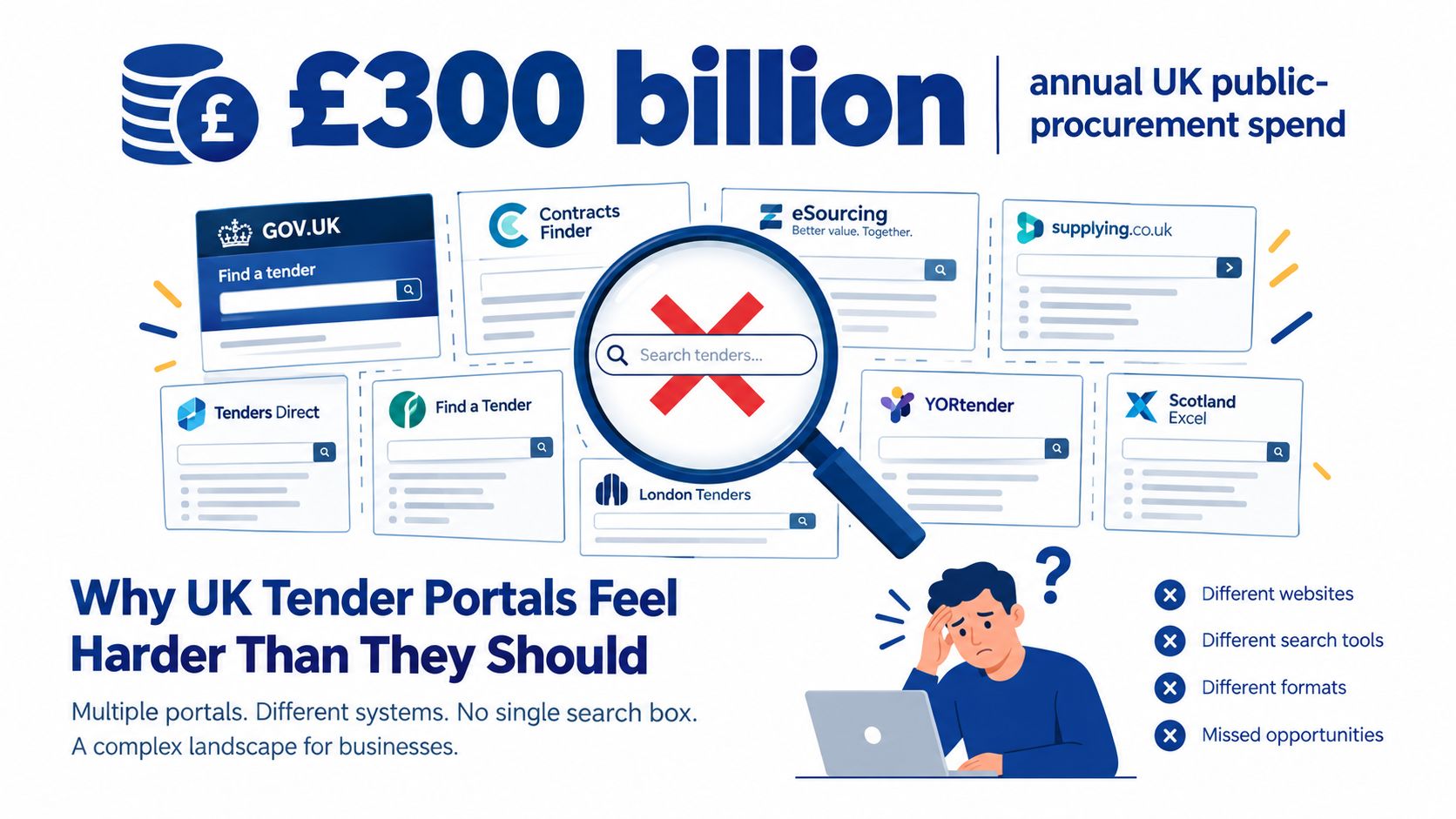
The UK public sector spends around £300 billion a year across central and local government, yet there's no single search box covering every opportunity. Public procurement is divided between UK-wide services, devolved systems and local publication routes. The result is a search problem disguised as a procurement problem.
A supplier may need to check Find a Tender for regulated UK notices, Contracts Finder for many lower-value English opportunities, Public Contracts Scotland for Scottish buyers and Sell2Wales for Welsh procurement. The four systems don't use identical fields, search logic or publication practices. A search that works well on one can be almost useless on another.
The cost of treating portals as separate websites
Manual searching creates predictable failure points:
- Repeated effort: Bid teams rerun similar keywords across four interfaces, then copy results into separate spreadsheets.
- Threshold blind spots: A search focused on Find a Tender misses lower-value work that appears elsewhere.
- Duplicate records: Buyers can publish related notices across services, while amendments and awards create further entries.
- Late discovery: A notice may arrive after internal capacity has already been committed.
- Poor handover: Sales sees an opportunity in one portal, while bid management tracks it somewhere else.
The answer isn't to search harder. It's to operate the ecosystem as a monitoring system. Saved searches should reflect your sectors, buyer organisations, CPV clusters, geography and minimum contract value. Alerts should arrive in one shared workflow, where someone can qualify them against delivery capacity and strategic fit.
Practical rule: Portal coverage is only useful when every relevant alert has an owner, a decision and a next action.
A tender monitoring platform can handle the repetitive discovery work. Your team should spend its time checking the notice, reading the specification, testing the qualification criteria and deciding whether the opportunity deserves bid resources. That distinction matters because portal data is a starting prompt, not a complete view of the buyer or the eventual contract.
The Four UK Tender Portals and What Each One Covers
The four main UK tender portals divide procurement by regulatory route, geography and buyer group. Their coverage overlaps, but each has a different operating purpose. A reliable monitoring stack treats them as connected sources, not interchangeable search pages.
| Portal | Scope & Coverage | Typical Contract Values | Known Gaps |
|---|---|---|---|
| Find a Tender | UK-wide regulated procurement notices, including higher-value opportunities and, from 24 February 2025, above-threshold and below-threshold notices for new UK procurements, except below-threshold notices in Scotland. | Higher-value regulated contracts, with lower-value notices also published in expanded circumstances. | Formal notice fields do not capture every detail in the attachments. Search quality depends heavily on notice type, buyer and classification. |
| Contracts Finder | Lower-value opportunities across England and wider UK public-sector bodies, including many local-authority notices and reserved UK bodies. GOV.UK says it covers contracts worth over £12,000 including VAT. | Listings range from nominal or unspecified values through local contracts and multi-million-pound requirements. | Buyer naming, cross-posting and free-text quality vary. Attachments and live-status checks require manual review. |
| Public Contracts Scotland | Procurement published by Scottish public bodies, with Scottish processes, buyer organisations and local requirements. | Scottish public-sector opportunities across regulated and lower-value routes. | Scottish notices have their own publication context. Below-threshold Scottish opportunities are excluded from the expanded Find a Tender route. |
| Sell2Wales | Procurement opportunities from Welsh public bodies, with Welsh buyer and process context. | Welsh public-sector contracts across local, national and wider public bodies. | Search fields, notice wording and buyer conventions differ from the other systems. Separate saved searches are required. |
Find a Tender
Find a Tender replaced the EU TED/OJEU route for high-value UK notices on 1 January 2021, after Brexit. It remains the main source for regulated UK procurement, with strong relevance for central-government and NHS opportunities.
Its structured notices make the procurement stage, buyer, value and notice type easier to classify than on less formal feeds. The limitation is that accurate CPV coding and the correct authority structure still determine what a search returns. Set up searches by buyer group, notice type and service line, then review the original documents before qualification. The portal identifies a published opportunity, not the full commercial context behind it.
Contracts Finder
Contracts Finder is a practical source for lower-value English public procurement. Its search results show publication dates, closing dates, status and value information in listing metadata (Contracts Finder search results). That supports quick triage, especially when the team needs to separate live notices from expired or awarded work.
The trade-off is uneven data quality. Values may appear as £0, £1, £25,000 to £125,000 or broad multi-million-pound ranges. Buyer names and descriptions also vary, so searches built around named authorities often perform better than broad keywords alone. Combine buyer names with CPV clusters, inspect the notice, and open every relevant attachment before assigning bid effort.
Public Contracts Scotland and Sell2Wales
The devolved portals matter to any supplier delivering in Scotland or Wales. They capture buyer activity that a UK-wide search can miss, while their notices may use local procurement language, regional lots and different timetable conventions.
Set up dedicated searches for each geography, buyer group and service line. Keep the original portal reference in the monitoring record. The source system may hold attachments, clarification details or status information that a consolidated feed does not display clearly, and that detail can change the bid decision. A UK-wide stack therefore needs separate coverage rules for England, Scotland and Wales, with consistent qualification fields across all four portals.
UK Procurement Thresholds and Where Notices Must Appear
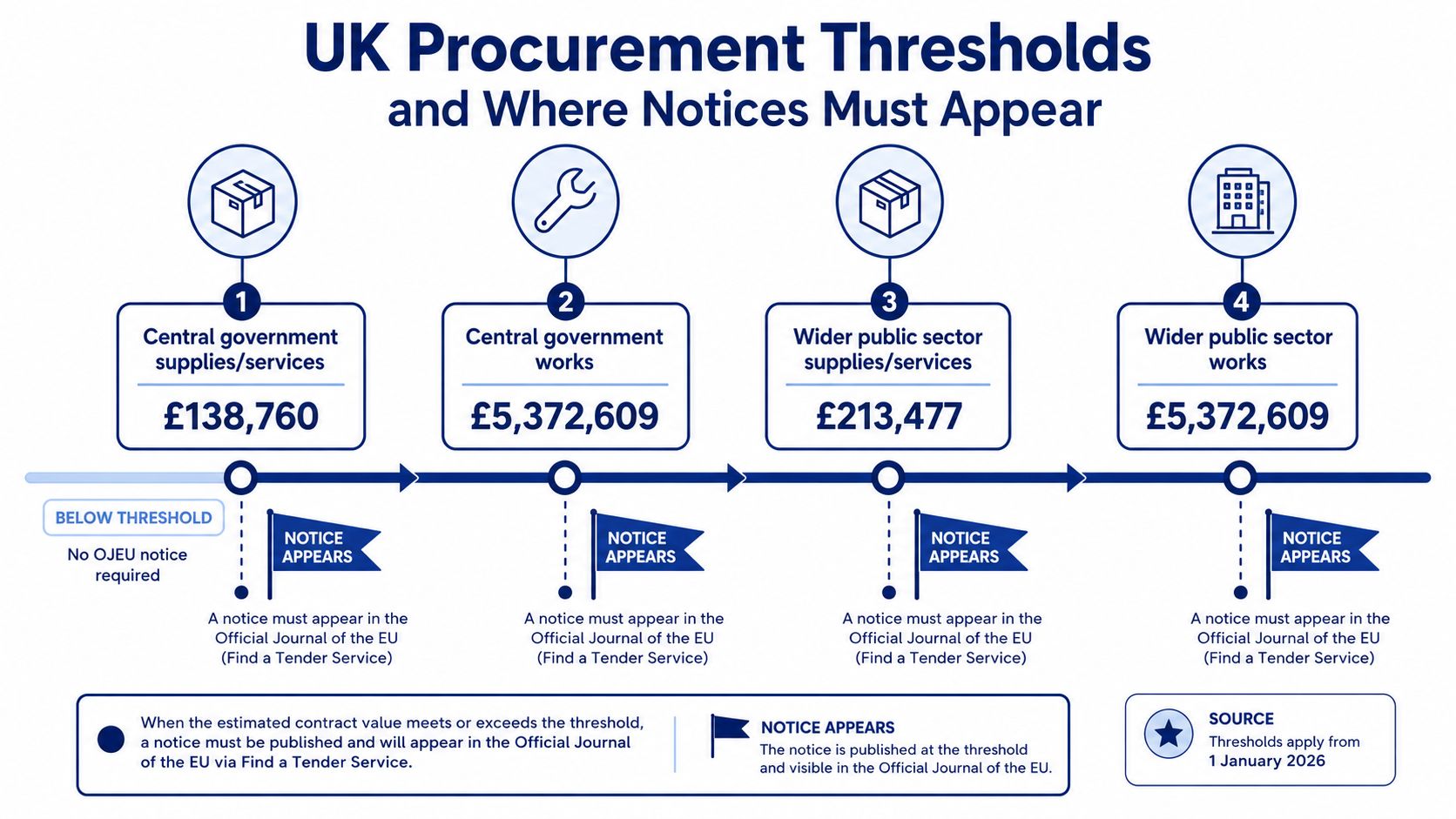
Thresholds determine whether a procurement must follow a regulated national publication route. They also influence how quickly a bid team should react, because above-threshold notices generally carry more formal documentation and a tighter compliance burden.
From 1 January 2026, the UK regulated thresholds are:
- Central-government goods and services: £135,018
- Sub-central authority goods and services: £207,720
- Works contracts across authorities: £5,193,000
These figures and their publication implications are set out in UK Find a Tender threshold guidance. The boundary matters because the same service can appear through different routes depending on the buying organisation and estimated value.
A worked example
Take a £180,000 IT services contract. If the buyer is a central-government body, the value sits above the central-government goods and services threshold, so the opportunity belongs in the regulated Find a Tender route. If the buyer is a local council, the same value sits below the sub-central threshold, so it may appear as a lower-value opportunity through Contracts Finder or a local procurement route instead.
The supplier's response shouldn't be identical in either case. The central-government notice may involve more formal requirements, structured selection questions and extensive attachments. The council opportunity may have a shorter decision window and less complete metadata, which makes alert freshness and rapid document review more important.
Make threshold position part of qualification
Your monitoring rules should capture the buyer type and estimated value before a bid manager assigns resources. Don't rely on a single “UK tenders” search, because it can blur regulated and sub-threshold work.
A practical qualification record should include:
- Authority classification: central government, sub-central authority or devolved buyer.
- Estimated value: including whether the figure is a range, a ceiling or an unclear placeholder.
- Publication route: Find a Tender, Contracts Finder, Public Contracts Scotland, Sell2Wales or a local system.
- Notice type: prior information, tender, award, framework, dynamic market or correction.
- Action deadline: the date for clarification, expression of interest or final submission.
For search guidance and bid workflow support, keep your tender management guides alongside the portal rules your team uses every day.
Searching Find a Tender and Contracts Finder Like an Operator
Find a Tender and Contracts Finder reward different search habits. Treating them as identical tools produces either too many irrelevant results or a narrow list that misses good opportunities.
Start with the fields that shape relevance
On Find a Tender, select the notice type before relying on keywords. Separate above-threshold opportunities from below-threshold notices, then combine a primary CPV code with two or three adjacent codes. CPV coding isn't perfect, but a cluster is safer than one code that a buyer may use inconsistently.
Pin the authority to the exact organisation tree where possible. Central-government wording can differ between a department, an executive agency and a related body. If you search only the text field, you may pull in suppliers, framework references or historic notices that don't represent direct opportunities.
Contracts Finder usually works better with the buyer-name field. Search the organisations you want to sell to, then add sector terms and status filters. Restrict results to Open when you're looking for live work, or Awarded when you're researching incumbent suppliers, contract values and buyer behaviour.
| Field | Find a Tender behaviour | Contracts Finder behaviour |
|---|---|---|
| Notice type | Essential for separating regulated procurements, prior information, awards and corrections. | Useful for distinguishing live opportunities from historic or completed records. |
| CPV code | Use a primary code with adjacent codes to compensate for inconsistent buyer classification. | Helpful, but buyer-name filtering often produces a cleaner starting set. |
| Buyer authority | Exact organisation trees matter, particularly for central-government bodies. | Names can vary, so search known aliases and parent organisations. |
| Value | Use value bands to separate strategic bids from work below your delivery floor. | Broad or placeholder values need document verification. |
| Date range | Match the range to your bid cycle and notice stage. | Don't rely on the default window. Set a range that reflects your actual review capacity. |
| Reference number | Check the OJEU reference where relevant to confirm cross-border or related notices. | Use portal references to reconcile amendments, awards and duplicate entries. |
Tighten searches in stages
Start broad enough to learn how buyers describe the service. Review the first results, note recurring terms, then add exclusions for irrelevant meanings. Local providers should test postcodes and regional terms, while national teams should use location filters to remove delivery areas they can't support.
Searches also need maintenance. A saved rule that worked during one procurement cycle may become noisy after a buyer changes terminology or stops using a particular CPV code. Your tender monitoring process should review search performance, not just collect alerts.
What Portal Data Does and Does Not Tell You
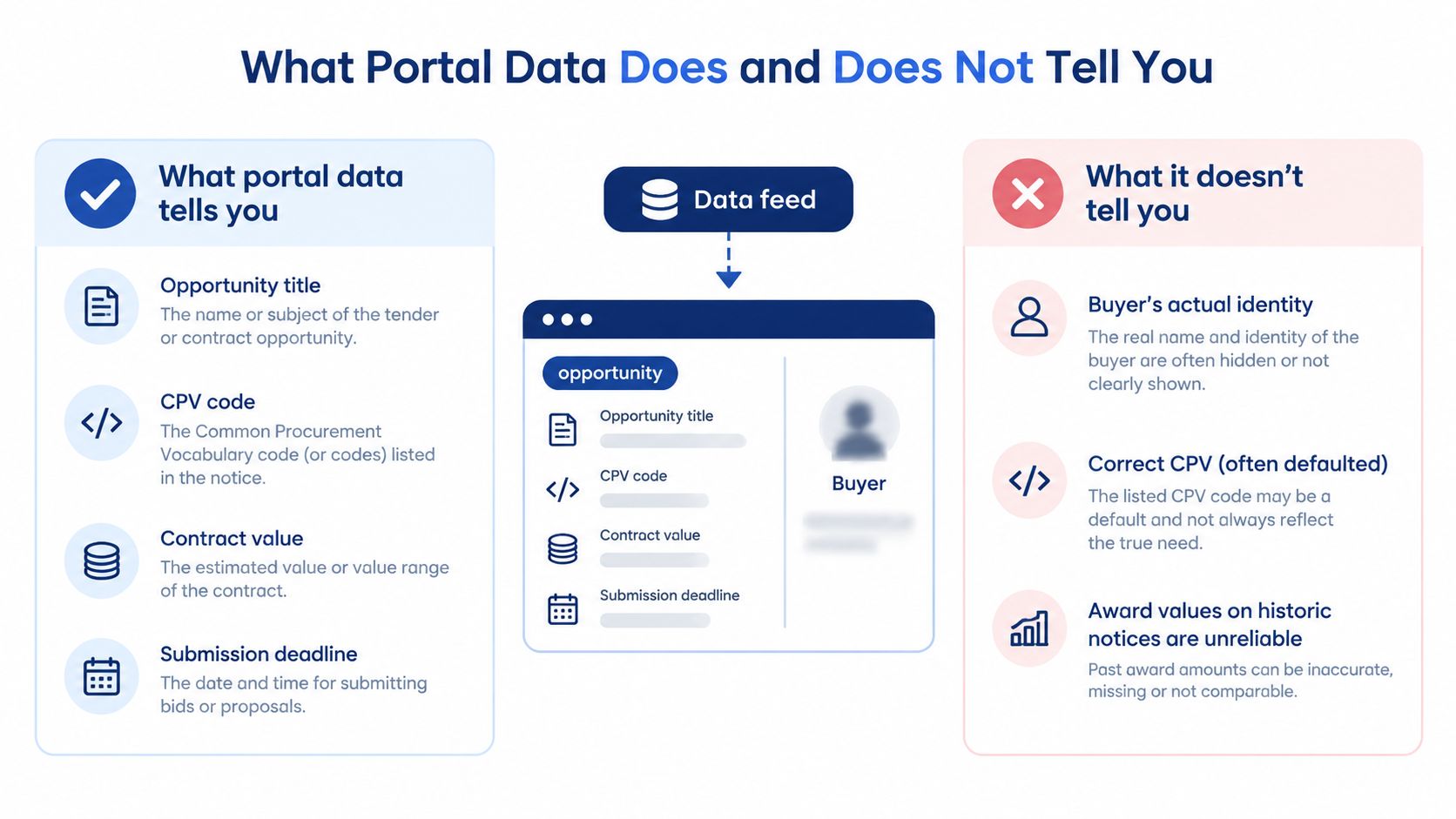
Portal records are good at describing the published opportunity. They're much weaker at explaining the commercial reality behind it.
A notice can provide the title, buyer, CPV code, estimated value, procurement route and submission deadline. It may also include attachments that contain the specification, selection questionnaire, evaluation method and pricing schedule. Those fields give a bid manager enough information to decide whether deeper review is justified.
The missing context changes the decision
CPV codes can be defaulted or wrong. Buyer names can drift between departments, shared-service bodies and parent organisations. Historic award values may not match the value that ultimately landed on the contract, particularly where a notice shows a range, ceiling or framework maximum.
Live notices may also omit the information that shapes your bid strategy. The buyer contact can be unclear, evaluation weightings may sit only in an attachment, and social-value clauses can require careful reading rather than a quick metadata scan.
The 2025 data mapping illustrates the limitation. Find a Tender contained 8,639 procurements worth £64.0bn, but only 38% of records had an end date recorded, while delivery region appeared in 76% and award method in 99% (UK procurement overview for 2025). Contracts Finder contained 41,219 procurements with £117bn advertised value in that year, but no end date was recorded in the mapping.
Build verification into the pipeline
Raw notice counts shouldn't become sales forecasts. They overstate addressable work because some records are duplicates, some are unsuitable, some are already committed through frameworks and some have incomplete information.
Use portal data as a prompt for human checks:
- Confirm the buyer: Read the notice and attachments, not just the display name.
- Confirm the value: Identify whether it's an estimate, range, ceiling or lot value.
- Confirm the timetable: Check clarification, expression-of-interest and final submission dates.
- Confirm the route: Establish whether it's a direct tender, framework call-off, dynamic market or award notice.
- Confirm fit: Compare mandatory requirements with your credentials, capacity and geography.
That makes the pipeline a managed commercial record rather than a collection of copied portal rows.
Alerting and Monitoring Strategy Across Multiple Portals
A useful monitoring system has two jobs. It finds relevant notices, then gets each one in front of the right person quickly enough for a rational bid decision.
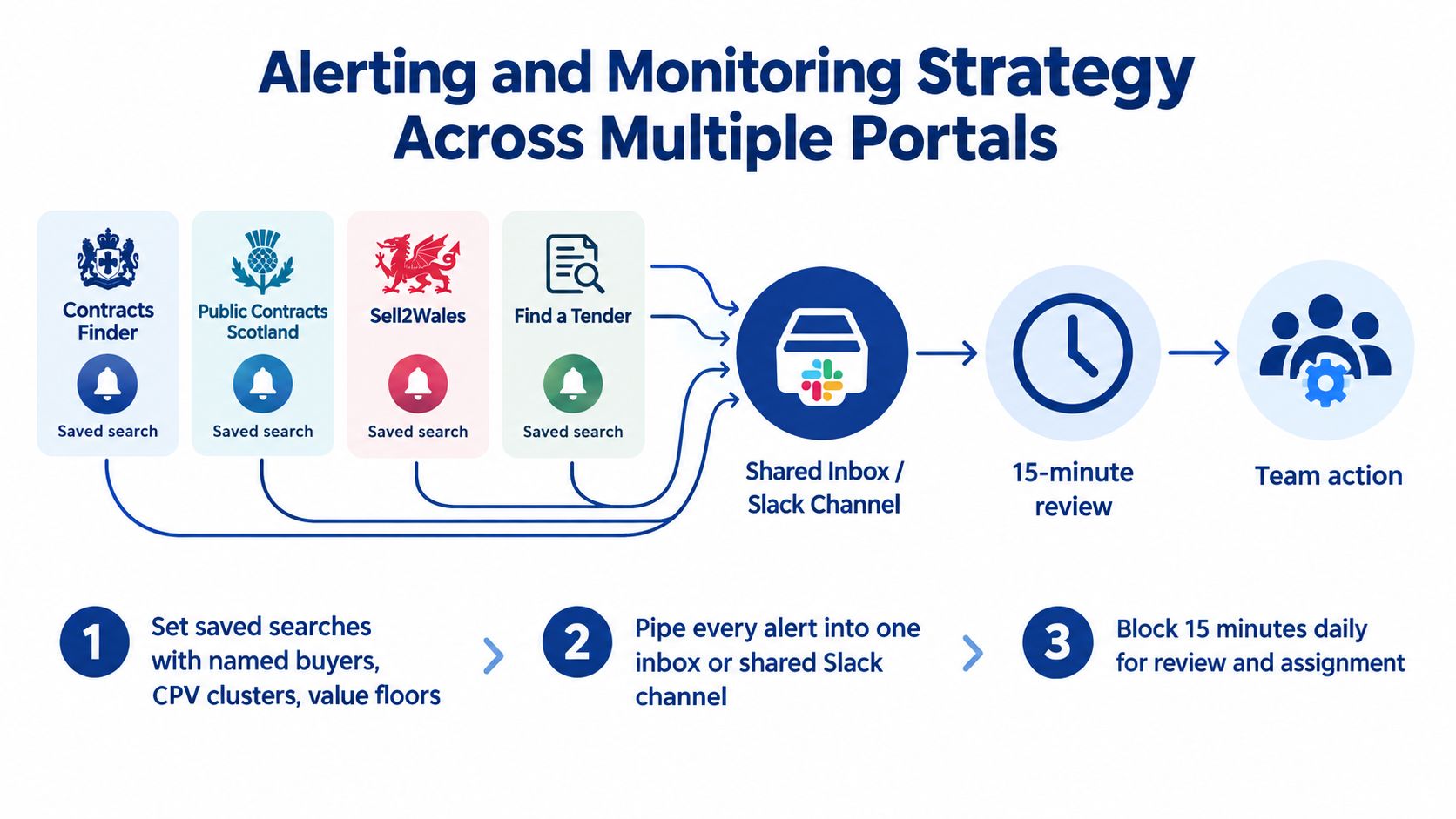
Start by creating saved searches on every relevant portal. Use named buyers, CPV clusters, geographic terms and value floors. Give each rule a clear name, such as “NHS digital services, national” or “Welsh environmental consultancy, local”, so another team member can understand its purpose without reverse-engineering the filters.
Put alerts in one shared queue
Don't let one person own Contracts Finder while another owns Public Contracts Scotland. That creates silos and makes absence look like coverage.
Pipe alerts from Find a Tender, Contracts Finder, Public Contracts Scotland and Sell2Wales into one inbox or shared Slack channel. Add the portal name and original notice link to every alert. Your team should be able to see what arrived, who owns it and what decision was made.
A workable cadence looks like this:
- Daily review: Block 15 minutes for new alerts, duplicate checks and assignment.
- Initial triage: Record buyer, value, CPV, location, deadline and a one-line fit verdict.
- Document check: Open the notice and key attachments before moving an opportunity to qualified.
- Weekly refinement: Remove dead buyer codes, adjust exclusions and reconcile awards with the pipeline.
- Quarterly refresh: Reassess sectors, value floors, regions and delivery capacity.
Use AI for triage, not unchecked judgement
An AI summary can return the buyer, value, CPV, deadline and a short fit assessment. That turns the first review into a quick yes, no or maybe decision, but it doesn't replace reading the procurement documents.
Track response rates by portal and search family. You'll learn which monitoring effort produces qualified opportunities and which rules generate noise. Teams looking to organise this process can review tender monitoring use cases alongside their existing portal accounts.
Archive closed opportunities rather than deleting them. Award notices and unsuccessful bids can reveal buyer preferences, likely incumbents and recurring procurement patterns, provided the team records the information consistently.
Building a Bid-Ready System With Monitoring, Knowledge, and AI Drafting
Monitoring only creates value when the team can act on the opportunities it finds. The practical loop is simple: alert, triage, qualify, retrieve evidence, draft, review and learn.
Shortlisted notices should enter a bid workspace with a clear owner and qualification decision. From there, the knowledge base supplies reusable evidence, not generic filler. It should contain your organisational profile, relevant case studies, staff CVs, security clearances, accreditations, delivery methods, policies and pricing benchmarks.
Make the knowledge base answer tender questions
A useful knowledge base isn't a folder full of old submissions. Each item needs enough context for a bid writer or AI drafting tool to reuse it safely.
Store:
- Case-study facts: Client type, problem, scope, delivery activity, outcome and supporting evidence.
- People information: Role, experience, qualifications, availability and relevant clearances.
- Compliance evidence: Policies, certifications, insurance details and renewal dates.
- Commercial references: Pricing assumptions, rate cards, exclusions and approval limits.
- Win themes: The strengths your organisation can prove for a particular sector or buyer.
- Past feedback: Clarification responses, evaluator comments and lessons from debriefs.
AI response generation should produce a first draft against the scoring criteria and supplied evidence. A human bid writer still needs to check compliance, technical accuracy, delivery commitments and commercial assumptions. Never allow a polished paragraph to conceal an unsupported claim.
Bidwell combines monitoring across the major UK portals with a knowledge base for credentials, past responses and case studies, then uses AI to generate initial tender drafts. Teams comparing tools can also review AI bid-writing software against their existing document and review process.
Use every submission to improve the next one
After submission, record what changed during review and what the buyer said in feedback. Update the relevant evidence, retire outdated claims and note whether the opportunity came from Find a Tender, Contracts Finder, Public Contracts Scotland or Sell2Wales.
Use this seven-point checklist next week:
- Verify portal accounts: Confirm access, notification settings and user ownership.
- Bookmark CPV codes: Keep primary and adjacent codes for each service line.
- Review alert rules weekly: Remove noisy terms and add buyer aliases.
- Update the tender pipeline sheet: Record status, owner, value, deadline and next action.
- Audit the knowledge base monthly: Retire expired policies and refresh evidence.
- Assign AI draft review: Name the person responsible for compliance and factual checks.
- Log a post-submission debrief: Record lessons within five working days.
Bidwell brings tender monitoring, a searchable knowledge base and AI-assisted response drafting into one workflow for UK bid teams. If you're ready to replace repeated portal searches with organised alerts and controlled first drafts, visit Bidwell and see how it fits your process.