You're checking three portals before breakfast. One alert has buried a perfect fit under forty irrelevant notices, another closed yesterday, and a colleague asks why you're not bidding more. That's the normal starting point when firms try to find government tenders without a system.
Search is the easy part. The harder jobs are spotting work before it goes live, and refusing work that isn't worth 20 to 40 hours of writing. Get those two habits organised and the portals become manageable.
Which UK Portal Covers Your Contract Value
No single portal holds every UK tender. To find government tenders efficiently, match the contract's value and nation to the right service first, because an alert pointed at the wrong portal is noise from day one.
Find a Tender replaced the EU's TED portal after Brexit and carries the larger work. Contracts Finder and the devolved services carry much of the smaller, local work that SMEs typically win.
The Find a Tender search service states that from 24 February 2025, Find a Tender publishes both above- and below-threshold notices for new procurements, except below-threshold notices in Scotland. For older procurements its coverage is generally above-threshold notices, usually contracts worth more than £139,688 including VAT.
The Portals Side by Side
| Portal | Covers | Value band | Nations |
|---|---|---|---|
| Find a Tender | Central and sub-central public bodies, utilities | Above-threshold notices, usually over £139,688 incl. VAT; below-threshold added for new procurements from 24 Feb 2025 | UK-wide, except below-threshold notices in Scotland |
| Contracts Finder | Central government and other public bodies | Above £12,000 (central government) and above £30,000 (other public bodies), incl. VAT | England and non-devolved territories |
| Public Contracts Scotland | Scottish public bodies | Below-threshold work above £12,000 for central government or £30,000 for other bodies, incl. VAT | Scotland |
| Sell2Wales | Welsh public bodies | Below-threshold work above £12,000 for central government or £30,000 for other bodies, incl. VAT | Wales |
| eSourcing NI and eTendersNI | Northern Ireland public bodies | Below-threshold work above £12,000 for central government or £30,000 for other bodies, incl. VAT | Northern Ireland |
Read the table by where your buyers sit. A £45,000 supplies contract from a Welsh council belongs on Sell2Wales, not on Find a Tender. A utilities contract well over the threshold belongs on Find a Tender, wherever in the UK it's let.
Treat these bands as typical rather than fixed. Thresholds move, so confirm the current published figure on each portal before you set your filters. A filter built on last year's number misses work without warning.
Practical rule: Write down the value band and nation for each service you sell. Two or three portals will usually cover almost everything you could realistically deliver.
Pick Your Two or Three
Registering everywhere on day one produces alert fatigue, and you stop reading any of them. Start with the portals that match your geography and typical contract size.
If you sell mainly into frameworks, check how those lots are published before assuming a portal search covers them. The Bidwell frameworks guidance is a useful reference point when mapping which route your buyers use in practice.
Portal choice settles discoverability only. It tells you where notices appear, not whether a notice deserves the hours a bid takes to write, so set up tender monitoring across your chosen portals from one place rather than checking four sites by hand each morning.
How to Set Up Searches and Alerts That Work
Before you build any search, create an account on each portal you've chosen. Complete your supplier profile on the UK Government Central Digital Platform too, because alerts and document downloads often depend on it. Allow about 30 minutes for this admin, and do it first so your saved searches attach to a live account.
Volume is the reason filtering matters. The Public Procurement Review Service progress report 2023-24 recorded 16,850 contract opportunities and 60,584 contract-award notices published on Contracts Finder in 2023/24. A broad search will return far more than anyone can read.
Build the Search in One Sitting
- List 10 to 15 search terms. Pull them from your last five wins, the service names buyers use in specifications, and the job titles in those documents. Buyers don't describe your work the way your website does.
- Add CPV codes for your sector. Buyers tag notices with Common Procurement Vocabulary codes, such as 90910000 for cleaning services. Codes cut noise in a way keywords can't.
- Set your value band and nation filters. Use the bands you noted for your chosen portals. A floor stops micro contracts filling your inbox.
- Choose your notice types deliberately. Live opportunities are for active bids. Award notices tell you who won, for how much, and from which buyer, which is gold for research.
- Save the search and switch on daily email alerts. Do this on every portal you've chosen, not just your favourite. Coverage gaps hide in the portal you skipped.
- Send every alert to one shared inbox. Alerts sitting in a personal mailbox disappear when that person is on leave. A shared inbox keeps the pipeline visible.
- Review after two weeks. Drop any term that returns more noise than it catches. Tighten CPV codes before you add more keywords.
Say a cleaning firm searches only for the word cleaning. It'll drown in window cleaning, dry cleaning and street cleansing notices it can't deliver. The same firm with CPV codes, a sensible value floor and a regional filter gets a short daily list it can read without strain.
Use Award Notices Properly
Most firms ignore award notices. That's a mistake. They show you the incumbent, the winning price range and how often the buyer re-tenders.
File the useful ones in your knowledge base alongside your case studies and past responses. When the contract comes round again, you'll start from evidence rather than a blank page, and your AI response generation will have real material to draw on.
If your daily alert takes longer than fifteen minutes to scan, your filters are too loose. Tighten them before you blame the portals.
Spotting Tenders Before They Reach the Portals
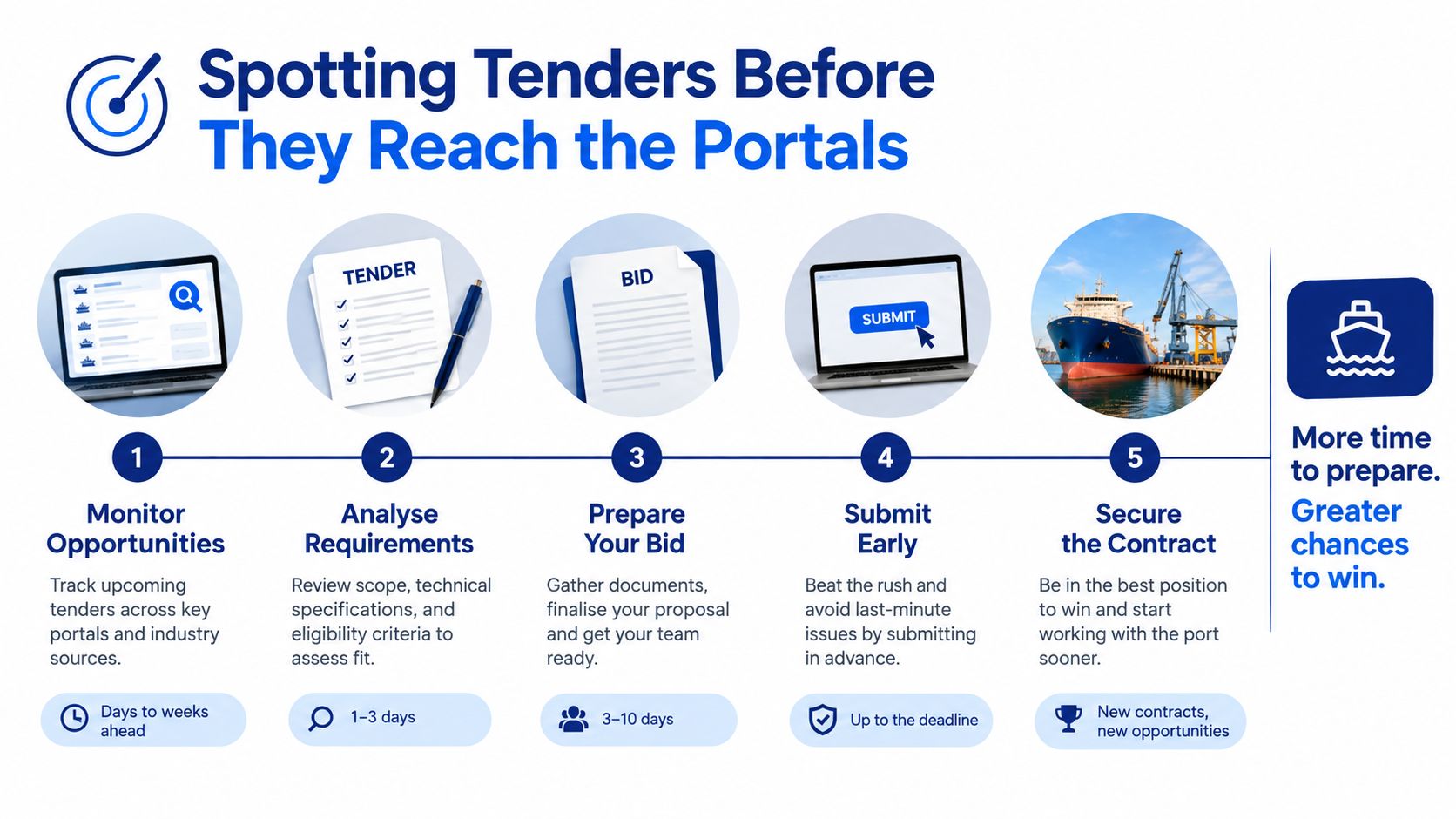
A tender that lands on a portal today was shaped months ago. By the time you see it, the buyer has already settled the lots, the contract length and the timetable, so every response you write to a cold notice is reactive by definition.
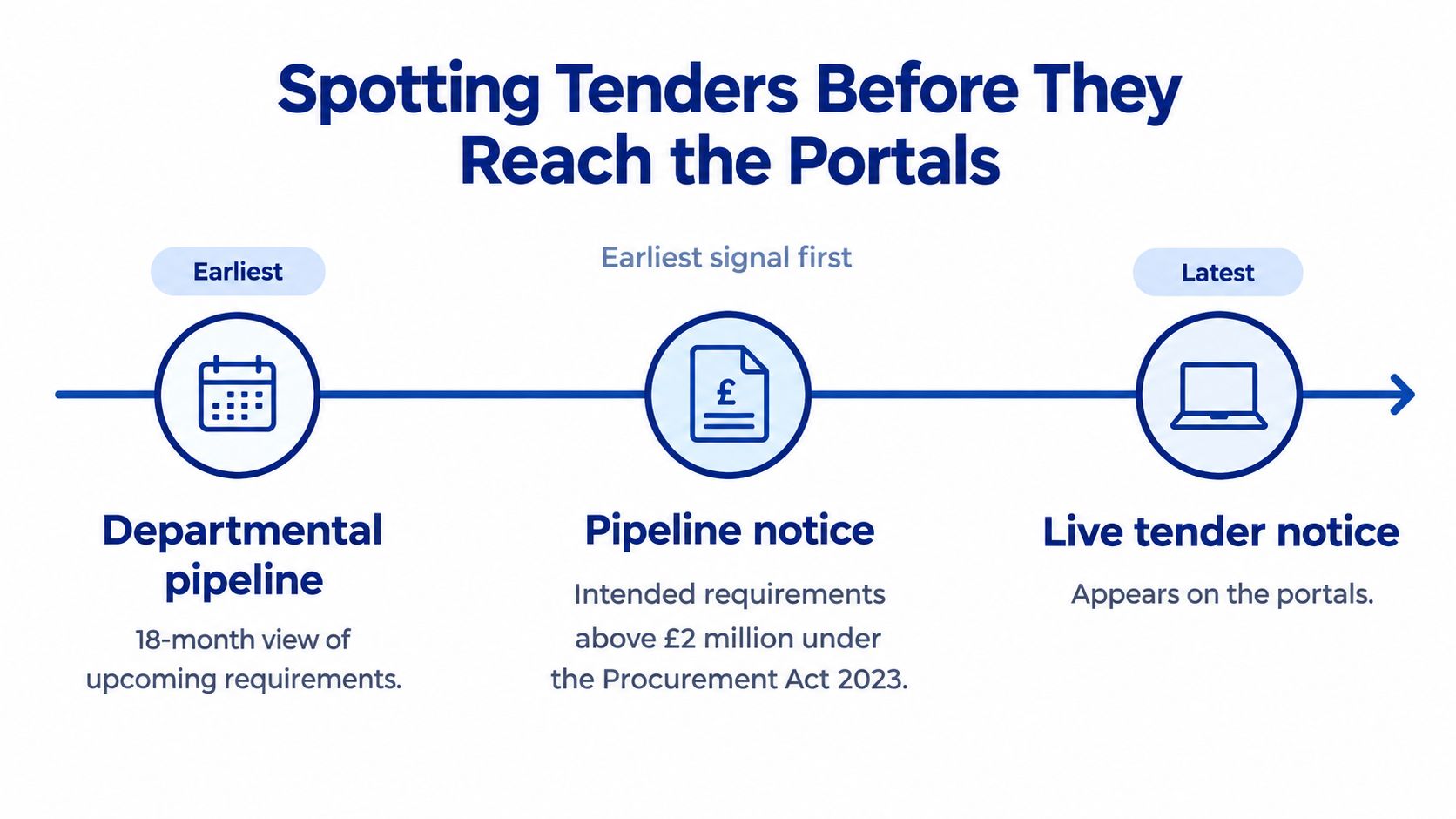
Departments publish forward plans you can follow. The Home Office SME action plan 2026 to 2028 explains that under the Procurement Act 2023, pipeline notices cover intended requirements above £2 million, while departmental pipelines can provide an 18-month view and are generally reviewed every six months.
How the Timeline Runs
A pipeline entry can appear up to 18 months before the tender goes out, and timings shift at each six-monthly review. Early market engagement follows, then the tender notice, then the award.
Early engagement is the one stage where you can still influence the shape of the contract. You can ask questions, propose lots that suit a smaller firm, and line up a consortium or subcontracting partner while there's still time. You can also flag requirements that would rule out good suppliers for no real reason. Once the notice publishes, none of that is negotiable.
The Gap You Need to Know About
Because pipeline reporting covers only higher-value work, fewer opportunities are visible to smaller suppliers chasing contracts below the £2 million threshold. Pipelines supplement your portal alerts for lower-value work; they don't replace them.
Treat every entry as indicative, not a promise. Projects get cancelled, merged or slipped by a year without much ceremony, and a requirement you were tracking can become someone else's framework renewal without any notice.
Log each entry you care about with its expected date in a simple tracker, and recheck it at every six-monthly review. Note cancellations and revised timings, and feed what you learn into your knowledge base. The payoff comes later: when the tender finally publishes, you walk into the go/no-go decision with months of context, and the 20 to 40 hours of writing start only if the bid is worth winning.
Deciding Whether a Tender Is Worth Bidding On
Finding a notice is discoverability. Working out whether the contract is commercially suitable, proportionate to your capacity and deliverable by the deadline is bidability. Confuse the two and you burn the 20 to 40 hours a full response takes on work you were never going to win.
Better search does not fix unclear requirements, short timescales, onerous terms or financial thresholds. Even where departments publish SME spending plans and set out to buy more from smaller firms, direct SME spend remains a small share of total government procurement. Visibility alone does not convert into awards, so the filter below matters more than the alert that brought you the notice.
Run the Go/No-Go Checks
| Check | What to look for | Red flag |
|---|---|---|
| Pass/fail requirements | Mandatory certifications, minimum experience and insurance levels stated as must-haves | Any requirement you cannot evidence before the deadline |
| Weighted criteria | The quality-to-price split and how much each quality question weighs | Price weighted heavily where you compete on delivery |
| Turnover and financial thresholds | Minimum annual turnover or financial standing relative to contract value | Threshold above your last set of accounts |
| Insurance and liability | Professional indemnity, public liability and any liability caps | Cover you would have to buy only for this contract |
| Contract length and options | Initial term, extension options and break clauses | Long lock-in on a small margin |
| Incumbent advantage | Whether the current supplier is re-tendering with detailed buyer knowledge | Buyer feedback or notice wording that favours the incumbent |
| Lot structure | Whether you can bid for one lot or must cover all of them | All-or-nothing lots larger than you can deliver |
| Pricing and clarification deadline | Costs you can document, and the last date to ask questions that change scope | Price far below what delivery actually costs you, or a clarification deadline that passed before you read the specification |
Score each opportunity against the table before anyone writes a word. One red flag on a pass/fail line means no-go, whatever the contract value. A turnover threshold just above your accounts or a certification you cannot evidence in time will not move because you want the work.
The weighted criteria row deserves a slow read. A 70/30 quality-to-price split rewards a well-evidenced response; a 30/70 split rewards the cheapest credible offer. Where lots allow it, bid for the lots you can deliver well rather than stretching across the whole contract.
On price, work from the buyer's stated weighting and your own documented delivery costs. Evaluation looks for the most economically advantageous tender, so a defensible price with strong quality answers beats a low number you cannot sustain. For construction work, tools such as Exayard construction bid software can help you structure those costings before you commit.
Record every decision, including the no-gos, in your knowledge base. When you do proceed, Bidwell bid writing software shows one way AI response generation can draft from that stored evidence while your team checks each answer against the criteria.
Building a Monitoring Routine That Keeps Up
Alerts pile up fast without a rhythm. A simple weekly pattern beats a heroic monthly clear-out that nobody sustains.
On Monday, triage new alerts in about 30 minutes. Tag each one as bid, watch or ignore, and don't open full specifications yet. On Wednesday, run the go/no-go checks on the bid tags only.
On Friday, log your decisions and update the pipeline tracker. That log becomes valuable quickly, because it shows which tender types you win and which ones you keep chasing out of habit.

One Owner, One Log
Name one person who owns the alerts. Shared ownership usually means nobody reads them. Their job is triage and the decision log, not writing every bid.
Use the closed material too. Tower Hamlets Council guidance to suppliers confirms suppliers can use Contracts Finder to find live contract opportunities, closed tender documentation, contract awards and contract documents, as well as subscribe to email alerts. It's also free for providers, buyers and the public.
File the documents and award notices from closed tenders in your knowledge base. They reveal what a buyer chose before and what evidence it expects. Bidwell is one option here, since its tender monitoring watches Find a Tender, Contracts Finder, Public Contracts Scotland and Sell2Wales and sends daily alerts with AI summaries, while its knowledge base holds credentials, past responses and case studies for AI response generation.
You're not trying to read everything. You're trying to make a defensible decision on everything, quickly.
Confirm the Submission Route Before You Start Writing
Strong answers lose to admin errors more often than anyone admits. The submission route isn't a detail to sort out on deadline day.
One published Welsh procurement notice on Sell2Wales required tenders to be submitted through Sell2Wales by precisely 12:00 noon on 2 March 2026; paper and email copies were not accepted. Submissions received before the deadline were retained unopened until the closing date, and tenderers also had to register on the UK Government Central Digital Platform as well as Sell2Wales.
If you'd found that notice late, the double registration alone could've eaten your writing time. If you'd emailed your bid, it wouldn't have counted at all.
Check These Five Things First
- Confirm the submission method. Portal upload, email or post. Don't assume it's the same portal where you found the notice.
- Note the exact closing time. Noon deadlines are common and unforgiving. Put the time, not just the date, in your calendar.
- Register on every platform named. That includes the Central Digital Platform where the notice requires it. Registration forms ask for details you may need to chase internally.
- List required forms, word limits and file formats. Over-length answers and wrong formats get marked down or rejected. Capture these in your knowledge base entry for the bid.
- Set internal sign-off at least 48 hours early. Portal uploads fail, files corrupt and approvers go into meetings. Two days of buffer turns a crisis into an inconvenience.
Buyer-specific systems add another layer. The Buckinghamshire Council e-tendering system page shows how individual buyers run their own submission arrangements alongside the national portals. Always check the route for the specific buyer in front of you.
AI response generation can produce a customized draft quickly. That speed only helps if your team still checks the draft against the form, portal, registration and deadline before submission. Separate drafting from compliance checking, and give the checker a different pair of eyes where you can.
Start small this week. Set up one alert on one portal using the steps you've just read, run it for a fortnight, then add the rest of the routine once the first list feels manageable.
If you're spending mornings hopping between Find a Tender, Contracts Finder, Public Contracts Scotland and Sell2Wales, Bidwell brings that monitoring into one daily alert with AI summaries, keeps your credentials and past responses in a knowledge base, and drafts answers suited to each bid that you then review and refine. Set up your first monitored search today and spend your time on the bids you have a real chance of winning.