You've searched for your service on Contracts Finder, found a handful of old awards and wondered where the live work has gone. A council you want to supply is clearly buying, but its latest opportunity isn't in your results.
That doesn't necessarily mean you've missed the deadline. Contracts Finder is one portal in a split system, and choosing the right place to search matters as much as choosing the right keyword.
What Contracts Finder Is and Who Uses It
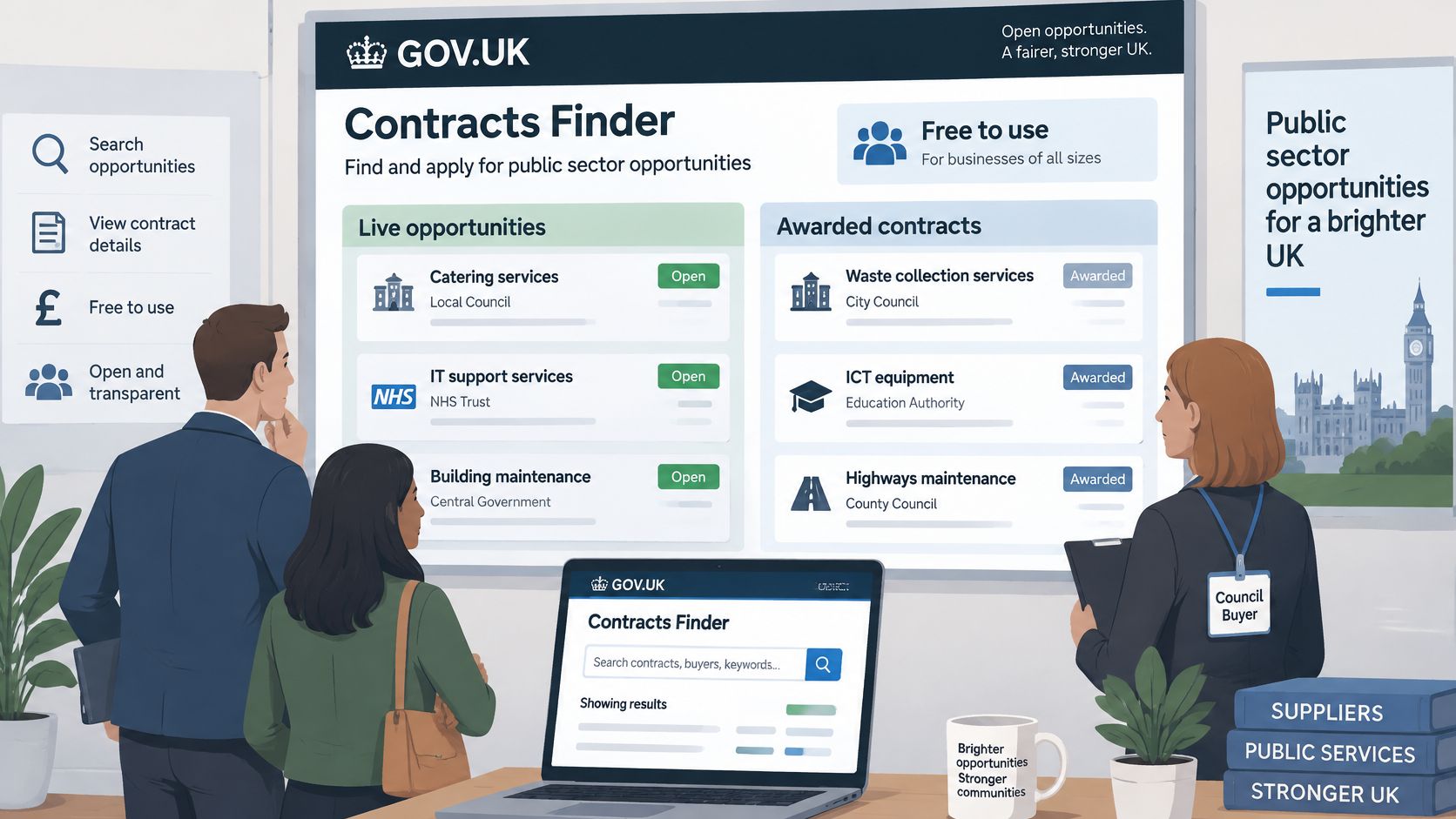
Contracts Finder is the UK government's free service for finding public-sector opportunities and awarded contracts, available through GOV.UK. Think of it as a public noticeboard for government buying. A department, council or NHS body publishes what it wants to buy, and award records show which supplier secured the work.
It's useful for prospecting, but it's also a substantial historical resource. An independent dataset guide described in the Contracts Finder data collection counts 406,113 awarded-contract notices from 4,687 public buyers and 106,747 distinct suppliers, with annual awards ranging from 52,817 to 55,785 between 2022 and 2024.
Those are recorded notices, not a promise that every public purchase appears. Use them to understand buyer activity, competing suppliers and recurring requirements.
Who gets practical value from it
Different users need different searches:
- SME owners want work they can deliver locally without stretching their staff or cash flow.
- Bid writers and bid managers track target buyers and separate live competitions from market research.
- Sales directors investigate who buys their services and which suppliers already hold those accounts.
- Procurement managers compare published values and specifications, while checking whether the scopes are comparable.
- Analysts investigate incumbent suppliers and patterns in buying activity.
Say a Lancashire cleaning firm wants council cleaning contracts above £12,000. That's a sensible hypothetical starting brief, but the owner still needs to distinguish an open tender from an old award, and a local delivery requirement from a buyer's office address.
Live work and historical intelligence
A live tender answers: can we bid for this now? An award notice answers: who won, what did the buyer purchase and what value was published?
Don't mix those purposes in the same working list. Keep opportunities needing a decision separate from records used for account planning.
That distinction also matters when preparing responses. Tender monitoring should identify work worth assessing; a knowledge base should hold evidence you can reuse; AI response generation should draw on that evidence only after you've understood the current requirement.
Contracts Finder or Find a Tender for Your Contract
Since 24 February 2025, the Procurement Act 2023 has moved most regulated notices for new procurements to Find a Tender, rather than making Contracts Finder the default destination, according to the government's Contracts Finder transparency guidance. That guidance also places notifiable below-threshold tender and contract-detail notices on Find a Tender when estimated values exceed £12,000 for central government or £30,000 for other contracting authorities.
Which portal to check by contract situation
| Contract situation | Where to check | What to watch for |
|---|---|---|
| Procurement started before 24 February 2025 | Contracts Finder | Legacy notices and awards published under the former regulations |
| New procurement, above or below threshold, English or non-devolved buyer | Find a Tender | Below-threshold notices over £12,000 for central government or £30,000 for other authorities |
| Scottish public body | Public Contracts Scotland | Below-threshold Scottish notices are excluded from Find a Tender |
| Welsh public body | Sell2Wales | Confirm the portal the buyer names in its notice |
| Northern Ireland public body | eTendersNI | Confirm the portal the buyer names in its notice |
| Awards for procurements started before 24 February 2025 | Contracts Finder | Incumbent suppliers and contract values for market research |
| Awards for new procurements | Find a Tender | Check here first for recent winners |
The Find a Tender service confirms the national publication split, including the exclusion of below-threshold Scottish notices. Treat the nation-specific services as part of your search coverage, not optional extras when you happen to have spare time.
The start date isn't the publication date
A newly published award can belong to a procurement begun under the former regulations. Don't infer the applicable regime from the date on the latest record alone.
Look for the procurement history and the buyer's stated procedure. For a framework opportunity, check the framework's access arrangements rather than assuming there must be a fresh open competition.
Practical rule: A missing search result is a reason to check the publication route, not evidence that the buyer has stopped buying.
There's no general requirement to duplicate new-regime notices on Contracts Finder. Equally, searching only Find a Tender leaves you without useful legacy records.
Our tender discovery monitors Find a Tender, Contracts Finder, PCS, Sell2Wales and eTendersNI. The reason for that coverage is practical: a single-portal search can produce a convincing but incomplete picture.
When an expected notice doesn't appear, check the other relevant service, the buyer's procurement page and the submission portal named in its documents. Separate where a notice is published from where a response must be submitted. They aren't necessarily the same website.
How to Search Contracts Finder Step by Step
Start with a broad search, then narrow it deliberately. If you apply every filter immediately, you won't know whether an empty result means no suitable work or an over-restricted query.
Run the search in a useful order
Open Contracts Finder through GOV.UK. Choose the search option rather than starting from an old notice bookmarked in your browser. That keeps your starting point consistent.
Enter a short keyword. Start with cleaning or catering, rather than a long description of your offer. Scan the wording buyers use before making the search more specific.
Add a location. Choose the region or town you can serve. Read the delivery details afterwards, because the buyer's address doesn't necessarily describe the whole contract area.
Select the procurement stage. Use tender-stage results when looking for work to bid for. Use awards when investigating buyers or suppliers, and keep those findings in a separate list.
Set a contract value band. The GOV.UK Contracts Finder guide describes searches for government and agency contracts worth more than £12,000 including VAT. Choose an upper limit your business can deliver, remembering that a published value may cover the full term rather than annual revenue.
Add an industry classification. A CPV code can catch notices that use unfamiliar wording. Test the classification alongside keyword searches rather than treating either method as complete.
Open the notice and its documents. Check the buyer, closing date, delivery scope and submission instructions. A promising title isn't enough to justify writing a response.
Keep the useful results. Export available results as XML or CSV, or record the notice reference and decision in your working tracker. Check the account options for saved searches and email updates, and use an inbox that is regularly monitored.
Contracts Finder search filters and example settings
| Filter | What it does | Example setting |
|---|---|---|
| Keyword | Matches words in the title and description | cleaning services |
| Location | Limits results to a region or town | Greater Manchester |
| Procurement stage | Separates live tenders from awards | Tender stage only |
| Contract value | Sets a minimum and maximum value | Minimum matching your viable contract size; maximum matching delivery capacity |
| Industry classification | Narrows by CPV code | CPV 90910000 (cleaning services) |
Judge the list, not the result count
For a hypothetical small specialist firm, five to ten relevant live notices a week could be a manageable review target. That's a workload choice, not a benchmark every business should expect to achieve.
A useful list contains opportunities you can assess promptly. If most results are unsuitable, change one filter at a time and record what improved the match.
Don't send every result straight into drafting. Monitoring establishes relevance; qualification establishes whether you should spend bid-writing time.
Reading a Notice Without Missing the Deadline
The notice stage tells you whether to prepare, bid, investigate a winner or revise your plans. Read that signal before reacting to the contract title.
Notice stages and what to do at each
| Notice stage | What it tells you | What to do next |
|---|---|---|
| Planned procurement notice | Buyer's intention and rough timing | Note the buyer and prepare evidence early |
| Tender notice | Live opportunity with a closing date and documents | Log the deadline and check every linked document |
| Award notice | Winning supplier, value and date | Record the incumbent and price for future bids |
| Contract details notice | Term, value and extension options | Note renewal dates for re-bid planning |
| Amended or cancelled notice | Changes made after first publication | Re-check the deadline before drafting |
Calculate preparation time carefully
For many competitive procedures, the government's competitive flexible procedure training gives a minimum of 25 days for electronic tenders when the notice and associated documents are supplied together, rising to 30 days when they aren't.
As a worked example under those rules, a notice published on 1 March with all documents available that day couldn't close before 26 March; if documents weren't supplied together, the corresponding minimum would move to 31 March. Those dates illustrate the calculation, not a universal timetable for every procurement.
Exceptions and permitted reductions matter, including qualifying planned procurement notices. Always work from the actual published deadline and applicable procedure, not from an assumed standard allowance.
Read the pack before drafting
Check the closing date and time, then the linked documents, buyer identity, CPV code and estimated value. Record clarification deadlines separately from the submission deadline.
The Procurement Act 2023 requires the relevant tender notice and documents to contain sufficient information for suppliers to prepare their tenders. If the pack leaves a material requirement unclear, ask through the stated clarification channel rather than guessing.
Treat the latest notice and document version as your working instructions. An early download isn't a permanent specification.
We pull every relevant notice from Find a Tender and Contracts Finder as soon as it's published. Your team still needs an owner for checking amendments, updating the compliance checklist and confirming whether a change affects the decision to bid.
Use bid-writing software around that checklist, not instead of it. Keep supporting evidence in the knowledge base, and review AI-generated answers against the current specification, scoring criteria and word limits.
Build a Weekly Search Routine
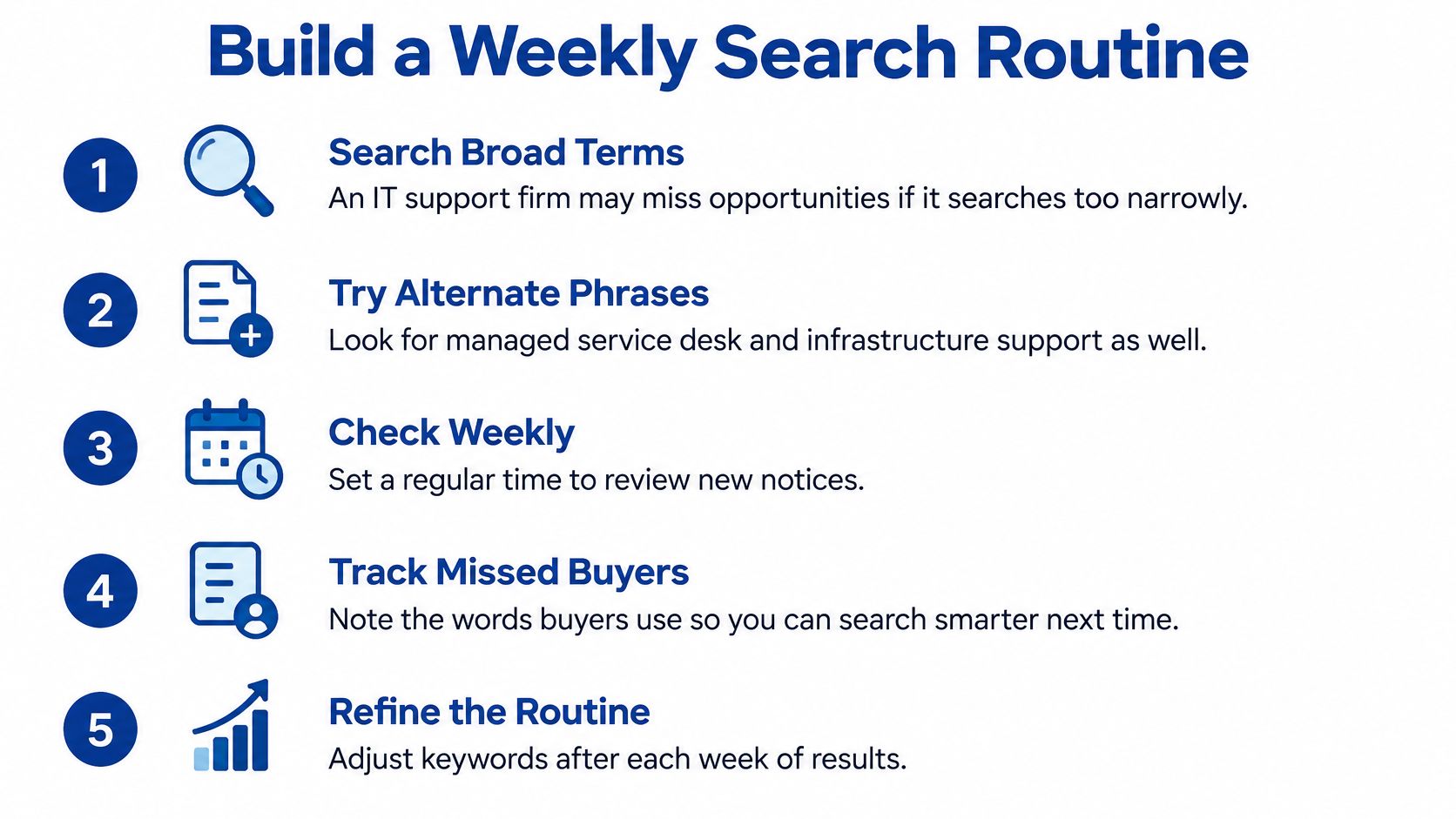
Say a six-person IT support firm searches only for IT support. It finds little, while buyers describing the same need as managed service desk or infrastructure support remain outside its results.
The fix isn't to refresh the same query more often. Try three or four wording variants in that hypothetical search, log the useful matches and test CPV division 72 for IT services alongside them.
Make the review repeatable
Define your search vocabulary. List your services as CPV classifications and buyer-friendly phrases. Add useful wording from relevant notices, but remove phrases that repeatedly produce unrelated work.
Map buyers to publication routes. Record the buyer's nation, likely contract size and procurement regime. Include its named submission system so nobody confuses finding an opportunity with registering to respond.
Save searches on the services you use. Give each search a meaningful name, such as regional cleaning tenders or target council awards. Assign someone to review the results and cover their absence.
Organise the evidence you already hold. Keep current insurance certificates, credentials, case studies, past answers and team CVs in a knowledge base. Add owners and review dates so expired documents don't become the default evidence.
Write a bid/no-bid rule. Assess preparation time, mandatory requirements, delivery capacity, financial standing and evidence gaps. Consider subcontracting where you can supply part of the requirement but shouldn't lead the whole contract.
Review on a fixed weekday. Read the relevant award history before committing writing time. Track repeat buyers by name and use contract terms to plan when to investigate future requirements.
Make the decision visible
Keep a short decision record: pursue, clarify, partner or decline. Record the reason, not just the outcome.
An opportunity can be a strong service match and still be a poor bid. You might lack a mandatory accreditation, need a delivery partner or have too little time to secure credible references.
The UKHSA SME action plan identifies barriers including unclear requirements, disproportionate financial thresholds, unrealistic timescales and excessive risk allocation. Better discoverability doesn't remove those obstacles.
Decision test: Would you still pursue this contract after reading the mandatory requirements, delivery obligations and evaluation method?
We automatically match case studies and team CVs to each opportunity. That helps expose relevant evidence, but it doesn't turn a weak delivery proposition into a good one.
Keep your tender workflow centred on qualified decisions rather than downloaded notices. Twenty notices aren't twenty bids, and a clear no-bid can save more effort than a faster first draft.
Automating Monitoring and Response With Bidwell
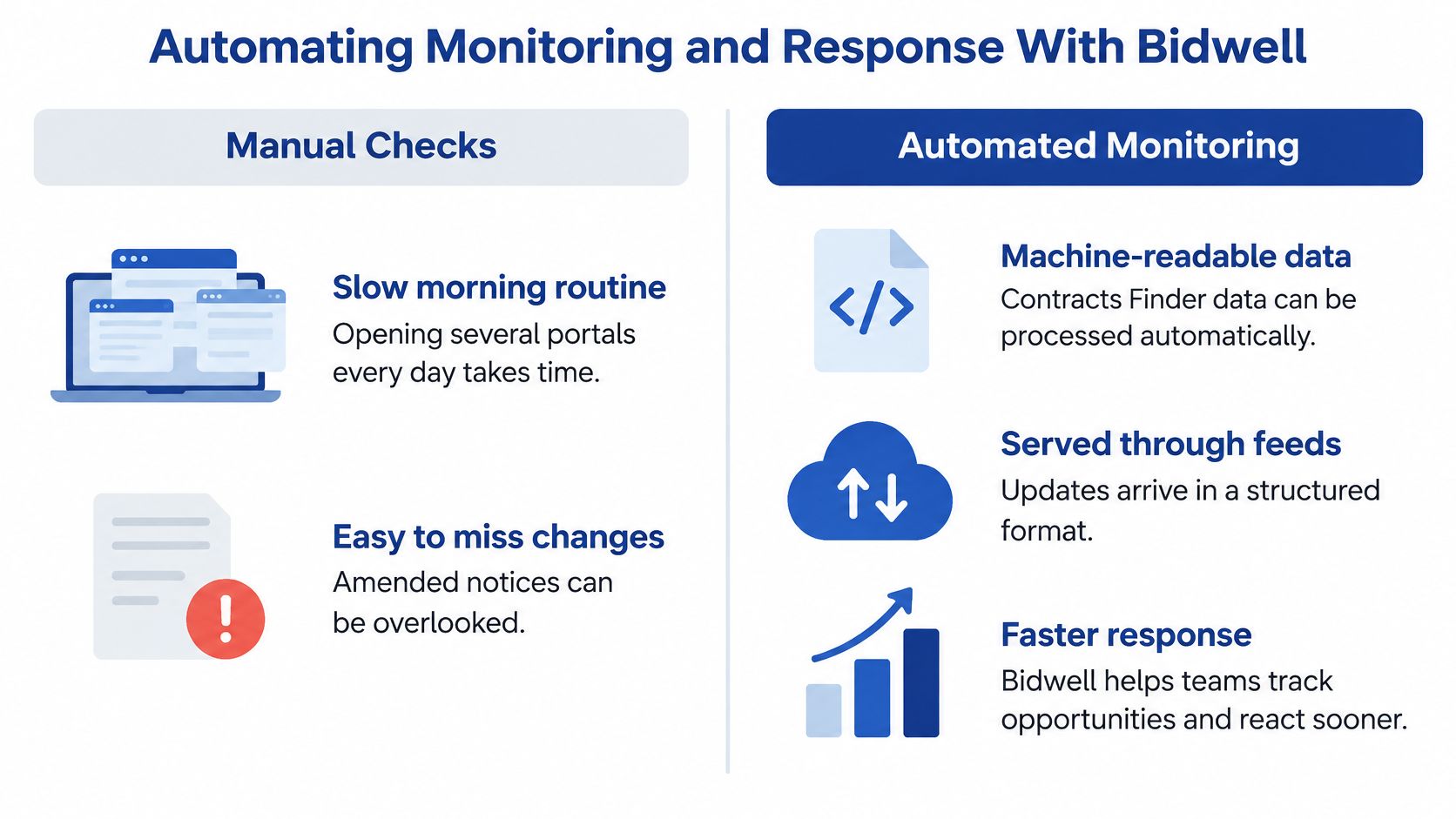
Opening several portals every morning takes time. Beyond that, a manual routine can miss an amendment even when someone found the original notice.
Automation is useful when it removes repeated checking without hiding the source documents. It's less useful when it sends a larger pile of loosely matched notices to the same overloaded inbox.
| Manual checks | Automated monitoring |
|---|---|
| You control each search and inspect results directly | Matching rules apply consistently across sources |
| Someone must revisit notices for changes | Updates can be attached to an existing procurement record |
| A spreadsheet can be enough for a narrow market | Broader coverage becomes easier to maintain |
| Quality depends on the reviewer's routine | Quality depends on source coverage and matching rules |
What the underlying feed makes possible
The Contracts Finder API documentation describes machine-readable Open Contracting Data Standard data, available through a REST API and bulk OCDS CSV downloads. Procurement processes have an Open Contracting ID, while publication events appear as releases.
A monitoring job can retrieve newly published tender-stage releases, store their process IDs and attach later award or implementation updates to the same record. Storing the ID helps prevent duplicate alerts; it doesn't remove the need to flag meaningful changes.
A technically capable team can build that pipeline itself. The trade-off is maintaining ingestion, pagination, error handling and matching rules, rather than writing only the first successful API request.
If you're deciding where that effort belongs, Ryshe's guide to which procurement workflows to automate first is a useful companion to the practical question: which repeated task consumes time without requiring a fresh commercial judgement?
Connect discovery to the response
The Bidwell platform connects the search process with evidence selection and drafting:
- Tender monitoring. Our Discover stage watches every UK tender portal, matches by CPV code, keyword, region and value, and emails only the tenders that fit. A regional cleaning supplier can focus its review on work matching its delivery area and contract capacity.
- Knowledge base. We score each UK tender we find against your stored knowledge base. Credentials, past responses and case studies help you assess evidence fit before committing to a full response.
- AI response generation. Drafts use that knowledge base and the buyer's requirements. Your team reviews the answer for accuracy, compliance and persuasive detail instead of starting with an empty page.
Don't automate the final bid/no-bid decision. Someone still needs to judge commercial risk, delivery commitments and whether the available evidence supports the answer.
Choose by review capacity
I'd stay manual if you check two or three portals or fewer and your team can comfortably read the full relevant list each week. That's a practical recommendation, not a market benchmark.
Move to automated monitoring when you need wider coverage or the notice list grows faster than your team can assess it. Test the change rather than assuming more alerts mean better results.
Pick a sector and run a two-week trial. Count how many notices reached a documented bid decision, check whether important amendments were caught, and compare the effort with your manual routine.
Bidwell brings tender monitoring, a reusable knowledge base and AI response generation into the same workflow, so finding a Contracts Finder notice can lead to an informed bid decision and a draft grounded in your evidence. Visit Bidwell to assess how it could support your target sectors, portal coverage and next tender response.