Your inbox is full of tender alerts. Half are a poor fit. A few look promising but need fast qualification. The worst part is this. Even when you find a live opportunity worth pursuing, the actual work starts after discovery.
That's why most comparisons in this market miss the point. They obsess over alert volume and search filters, then ignore the biggest drain on bid teams: writing the response. If you care about time saved and win rate, you need to judge any tool across the whole bid lifecycle, not just whether it sends a daily email.
Tired of Drowning in Tender Alerts
Most bid teams don't have a tender discovery problem. They have a relevance problem.
You can already search government portals, save searches, and get notifications. That part is covered. What wastes time is screening poor-fit notices, checking buyer history, deciding whether the opportunity is worth the effort, and then scrambling to draft a response before the deadline.
The pressure gets worse when you're covering multiple portals and regions. One broad keyword search can flood your team with noise. A narrow one can miss a live contract you should have chased.
Practical rule: If your team spends more time deleting alerts than reviewing credible opportunities, your search setup is broken.
There are usually three ways firms deal with this:
- Use free public portals. Cheap, obvious, and perfectly workable if your bid volume is low.
- Buy an alert platform like Contracts Finder Pro. Better for coverage and convenience when manual searching starts eating into your week.
- Use a full bidding system. That matters when your bottleneck isn't finding tenders anymore. It's qualifying them, reusing past material, and producing a decent first draft quickly.
The mistake I see most often is buying for the first step only. Teams pay for alerts, feel organised for a month, then realise the alerts haven't fixed the underlying backlog. The response writing still sits with the same people, using the same old folders, copied answers, and last-minute reviews.
If you're looking at tender workflows and how teams actually manage them, judge any tool on one question: does it help you win work, or does it just help you find work?
That's the line that matters.
Understanding Contracts Finder vs Contracts Finder Pro
People mix these up all the time. They aren't the same thing.
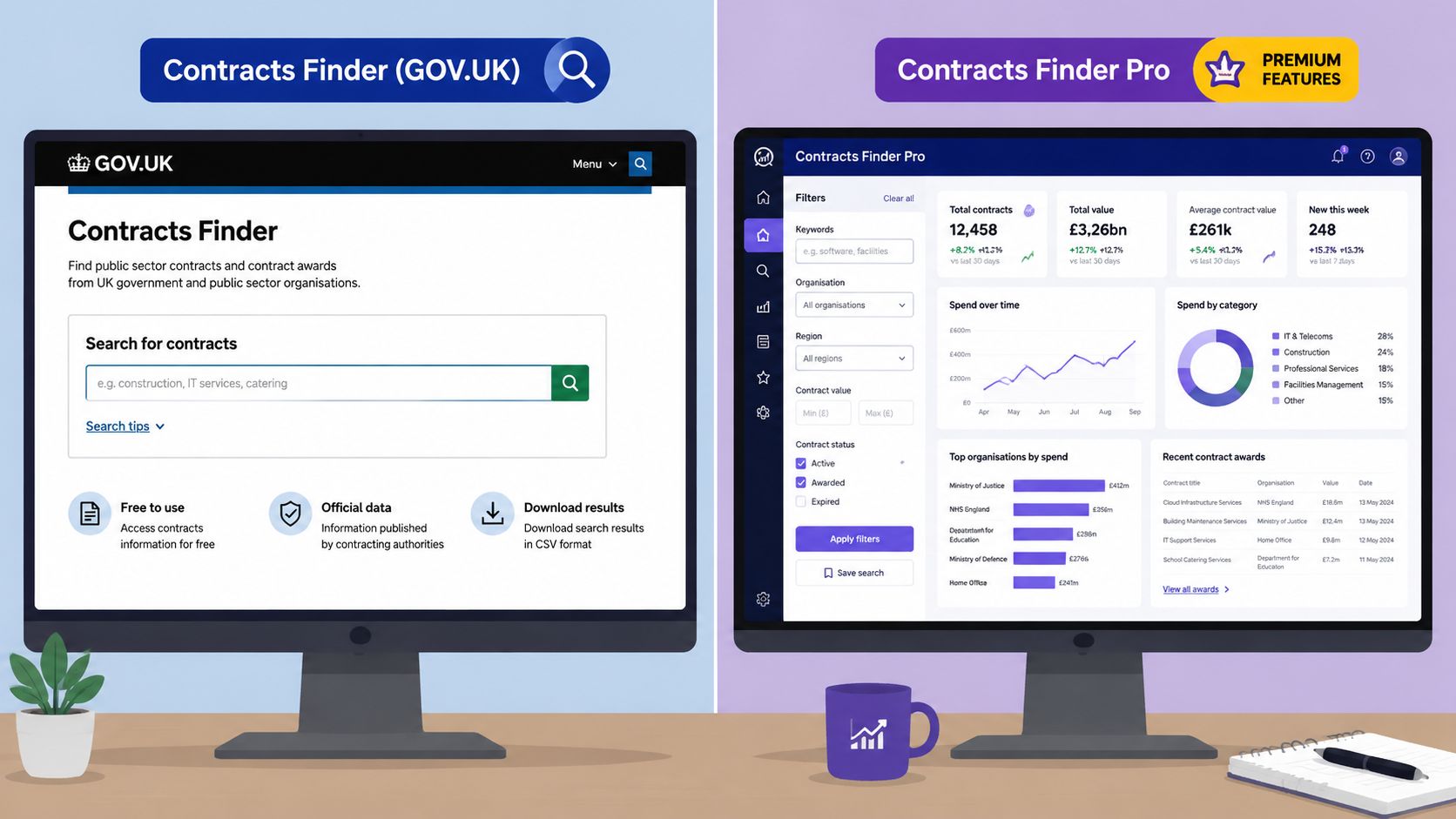
Contracts Finder is the official government portal. Contracts Finder Pro is a separate commercial product that sits on top of the market and adds monitoring, filtering, and workflow tools.
What the official Contracts Finder portal does
The government's Contracts Finder service is the UK's official procurement portal for contracts worth over £12,000 including VAT. It's used to search current opportunities, future pipeline items, and previous tenders and awards. It's operated by the Crown Commercial Service, which sits within the Cabinet Office.
That matters because it tells you what the portal is for. It's an official publication point and search tool. For higher-value competitions, suppliers are directed to Find a Tender for contracts usually above £139,688 including VAT.
What Contracts Finder Pro adds
Contracts Finder Pro is a paid platform. Based on its own product description, it searches more than 2 million UK and Ireland public sector contracts and sends personalised daily alerts plus flash emails for urgent opportunities. It also structures the workflow into four stages: setting searches, receiving a digest, qualifying bids through buyer history and past awards, and drafting responses with Tender Ninja.
That positioning is sensible. Most suppliers don't just need raw access to notices. They need a quicker way to track relevant notices across the market and reduce time spent hopping between portals.
The real distinction
The official portal is a public utility. Contracts Finder Pro is a productivity layer.
That doesn't make one better by default. It just means they solve different problems.
- Contracts Finder helps you search what the government publishes.
- Contracts Finder Pro tries to save you time by monitoring more broadly and packaging those results into a daily workflow.
- Neither name should fool you into thinking they're the same product family. They aren't.
The free portal gives you access. The paid platform tries to give you focus.
If your current approach is manual searching on GOV.UK and a lot of spreadsheet triage, that distinction matters more than the branding.
Core Feature Comparison Head to Head
The useful comparison isn't “free versus paid”. It's alert tool versus bid system.
A lot of buyers stop at discovery. That's where most of the market stops too. You'll get monitoring, filters, maybe some buyer intelligence, and then you're back in Word documents and old folders. That's fine if your team already has a disciplined content library and enough writing capacity. Most SMEs don't.
Contracts Finder Pro vs Bidwell Feature Breakdown
| Feature | Contracts Finder Pro | Bidwell |
|---|---|---|
| Tender monitoring | Personalised daily alerts and urgent flash emails based on saved searches | Monitors major UK tender portals and delivers daily alerts with AI-generated summaries of relevant opportunities |
| Search and qualification | Search setup by keywords, CPV codes, contract value, and region. Includes buyer history and past awards in qualification workflow | Focused on identifying relevant tenders, then carrying that context into later bid work |
| Knowledge base | No dedicated knowledge base described in the verified product summary | Built around a reusable knowledge base from credentials, past responses, and case studies |
| AI response generation | Includes Tender Ninja for drafting responses | Generates tailored tender responses using stored organisational knowledge |
| Best fit | Teams that mainly want better market monitoring and qualification support | Teams that want monitoring, reusable knowledge, and faster first drafts in one place |
Tender monitoring matters, but relevance matters more
The weak point in tender tech is rarely a lack of notices. It's poor ranking.
Public procurement guidance and practitioner advice keep coming back to the same issue: time-sensitivity and false positives. The value of an alert service depends on how well it ranks relevance, not how many notices it surfaces. That matters most for SMEs with limited bid capacity, where better filtering can materially change win-rate and cost-to-bid, as noted in this practitioner guidance on tender search quality.
Contracts Finder Pro has a sensible structure here. Search by keyword, CPV, contract value, and region is the baseline you need. Buyer history and past awards are useful because they help your bid/no-bid call before you waste a day on a weak-fit opportunity.
Search alone won't fix your process
At this point, many tools hit a ceiling.
A better alert feed saves time at the top of the funnel. Good. You want that. But if your team still handles every response by digging through old submissions, hunting for policies, and rewriting answers that already exist somewhere, you haven't solved the expensive part.
The difference with an end-to-end system is simple:
- Monitoring tells you what to look at.
- Knowledge management tells the system what your business has already said and evidenced.
- AI response generation turns that stored material into a usable draft.
That's why the Bidwell product page is relevant in this comparison. It covers tender monitoring, a knowledge base, and AI response generation in one workflow. Whether you choose it or not, that three-part model is the one worth using to evaluate any modern bid platform.
Key takeaway: If a platform stops at alerts, your writers still do the hardest work manually.
What actually changes day to day
For a bid manager, the practical difference shows up in four places.
- Morning triage gets faster. Better alerts and summaries reduce the list you need to review manually.
- Qualification becomes less subjective. Buyer history and previous awards help you decide whether to proceed.
- Drafting starts from something usable. That's a major operational shift if your current process starts from a blank page.
- Content reuse becomes organised. A proper knowledge base stops teams from relying on memory and shared drives.
Contracts Finder Pro does the first two jobs. That's useful. But if your team's pain sits in drafting and content reuse, that's where you'll feel the gap.
Beyond Discovery The Real Work Is Writing the Bid
Tender discovery gets attention because it's visible. The inbox pings. The portal search looks active. People feel busy.
Bid writing is where the hours disappear.
Once you've decided to bid, the work is repetitive and messy. You pull old answers from three folders. You check whether the policy version is current. You rewrite a method statement because the old one is close, but not close enough. Then someone else has to review it all under deadline pressure.
Why alert tools leave a gap
Contracts Finder Pro recognises part of this. Its workflow includes drafting responses with Tender Ninja. That's a sensible direction.
The issue is bigger than drafting text. Good bid writing depends on having the right source material ready and organised. If your company information, case studies, social value answers, policies, and technical responses sit in scattered files, the drafting tool can only do so much.
A connected system holds significant importance. A platform that links tender monitoring directly to a knowledge base and then into AI response generation changes the handover between “we found something” and “we can answer it”.
If you're a hands-on writer, AI support built for bid writers is useful only if it reduces search, rewrite, and review effort. Fancy drafting on its own won't save a broken content process.
What good looks like in practice
A workable modern setup does three things together:
- Flags relevant tenders early
- Pulls from approved past material
- Produces a first draft your reviewer can shape, not rescue
That last point matters most. You don't want a tool that produces vague filler faster. You want one that gets you to an informed first draft with the right evidence in place.
A poor alert wastes minutes. A poor draft wastes a day.
This is why I'd never choose tender tech on alerts alone. Discovery is necessary. Writing is decisive.
Analysing Pricing and Return on Investment
Teams often ask the wrong pricing question first.
They ask, “What's the monthly fee?” The better question is, “What part of the bid process am I paying to remove?”
What you're actually buying
Contracts Finder Pro says it searches more than 2 million UK and Ireland public sector contracts, sends personalised daily alerts, and structures work around search setup, digest review, bid qualification, and drafting with Tender Ninja, according to the Contracts Finder Pro product site.
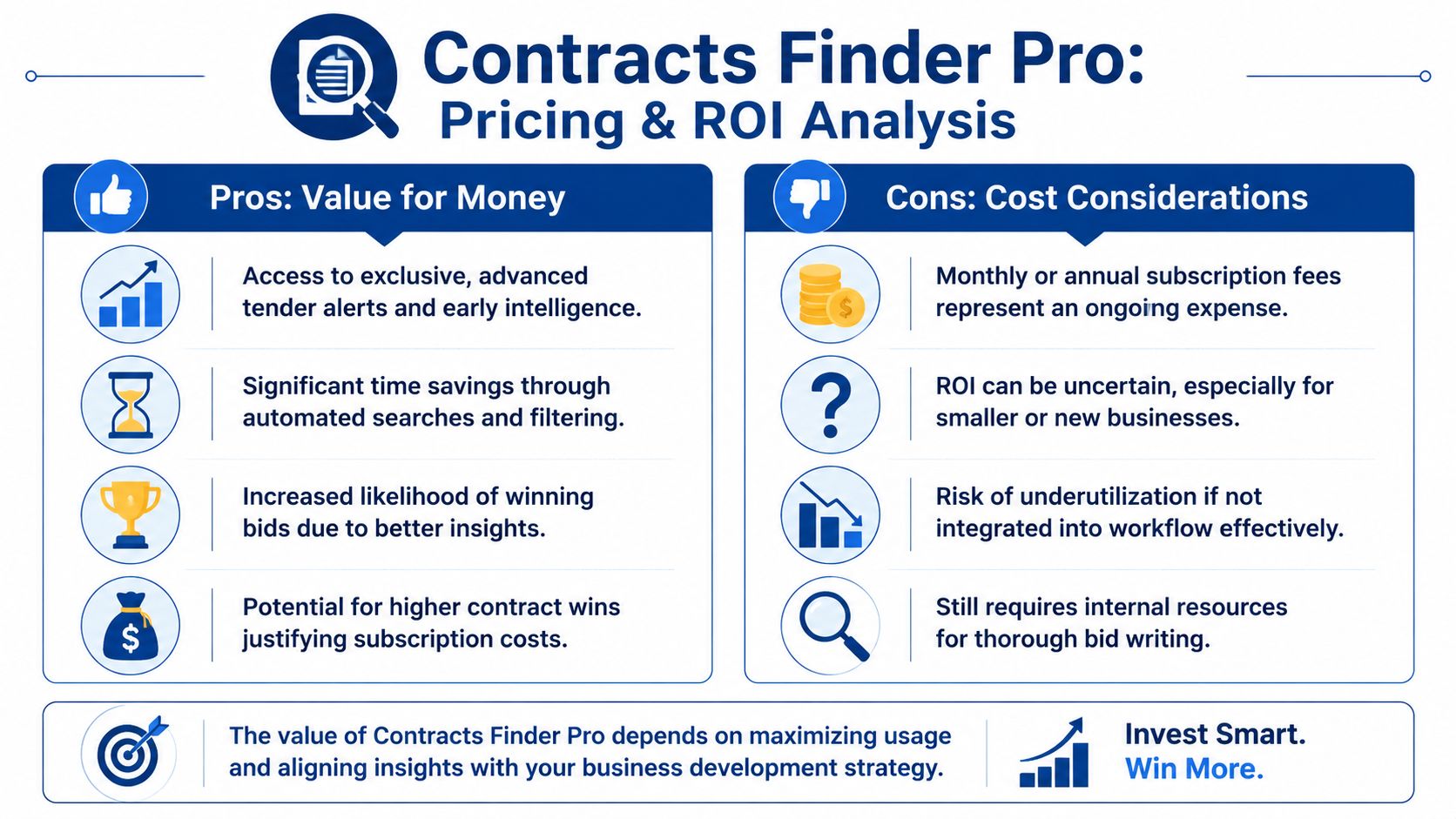
That means you're not just paying for data. You're paying for reduced manual searching and a more organised early-stage workflow. For some teams, that's enough to justify the cost.
But there's a limit to the return. If the platform mainly improves discovery and qualification, your team still carries the labour cost of gathering boilerplate, updating answers, and building the final submission pack.
How I'd judge the return
Use a simple internal test:
- How much time does your team spend searching and screening?
- How much time does it spend writing and reviewing?
- Where do deadlines slip most often?
- Which step depends on your most expensive people?
If search is the problem, an alert platform can pay for itself quickly. If writing is the problem, alerts alone won't move the needle enough.
Don't compare subscription prices in isolation. Compare them against the staff time still left untouched.
You can use other software pricing pages as a sanity check when thinking about deployment spend and tooling trade-offs. A page like OpenClaw deployment pricing is useful for that, not because it's a bidding tool, but because it reminds you how quickly software costs become secondary when internal delivery time is the primary expense.
My view on value
Contracts Finder Pro makes most sense when your current process is still too manual at the front end. You're spending too long finding opportunities and deciding whether to pursue them.
A full bid platform makes more sense when your team is already finding enough work but struggling to turn opportunities into polished submissions without overloading writers and reviewers.
Both can be worth paying for. Just don't confuse activity savings with outcome savings. The second one is where the bigger return usually sits.
Who Should Use Which Tool
There isn't one right answer for every supplier. The right tool depends on how often you bid, how organised your content is, and where the process breaks down.
Sole trader or micro-business
Start with the free public route.
If you submit occasional bids and you're still learning which buyers, thresholds, and categories suit you, paying for a platform too early can be a distraction. The official portals are enough to help you understand the market, get familiar with notice structures, and build a basic qualification habit.
Your priority isn't automation yet. It's judgement.
Growing SME without a dedicated bid writer
Contracts Finder Pro becomes sensible.
You've outgrown manual portal trawling. Sales, operations, or the owner is still helping with bids, and nobody has spare time to monitor opportunities properly. In that setup, a paid alert service earns its place because it cuts admin at the top of the funnel and gives you a more consistent view of what's worth chasing.
Use it if this sounds familiar:
- You miss notices because nobody checks portals consistently
- Your saved searches return too much noise
- You need buyer history and past award context before saying yes
- Your team can write bids, but not if search takes half the week
Ambitious bid team submitting regularly
This group should think beyond alerts.
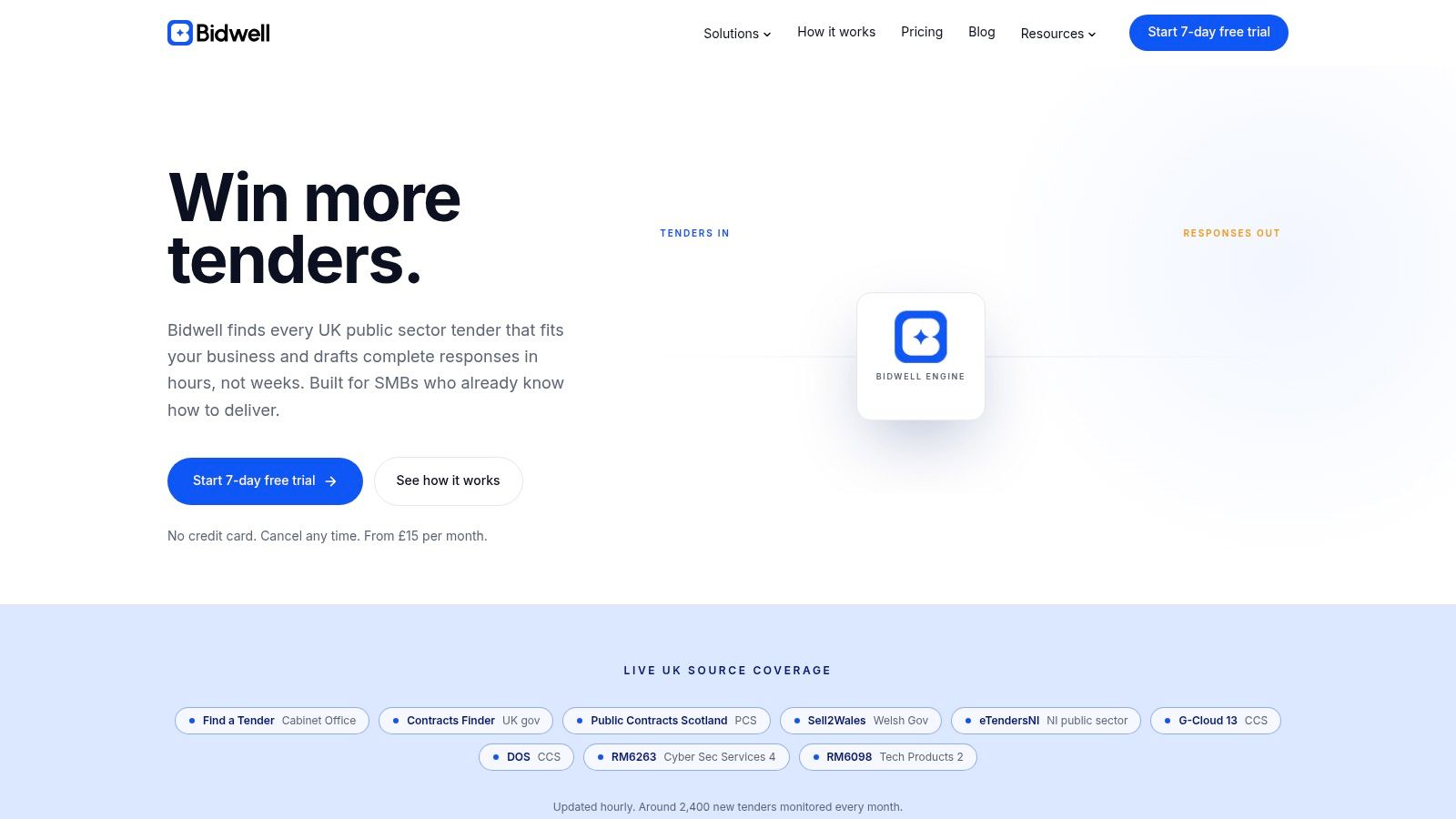
If you're submitting multiple tenders and your real pain is drafting, review cycles, and content reuse, you need a system that treats bid content as an asset rather than scattered history. An end-to-end setup such as Bidwell is the stronger fit, because it combines tender monitoring, a knowledge base, and AI response generation instead of stopping at opportunity alerts.
If your team already has enough opportunities, buying more alerts won't solve the bottleneck.
A blunt recommendation
Use the free route when bid volume is low. Use Contracts Finder Pro when discovery and qualification are the issue. Use a full writing-led system when your team is losing time after the bid decision has already been made.
That's the cleanest way to choose.
How to Implement a Modern Bidding System
Rollout is often overcomplicated. You don't need a massive change programme. You need a working starting point.
Build the knowledge base first
Start with material you already trust.
Upload past responses, policy documents, case studies, core company information, CVs, service descriptions, and standard answers your team reuses often. Don't aim for perfect taxonomy on day one. Aim for usable source material that reflects how your business bids.
A weak knowledge base gives you weak drafting. That part isn't optional.
Run one live bid through the new workflow
Pick a tender that matters, but not the most politically sensitive one in the business.
Use the platform to review the opportunity, generate a first draft, and then mark up the result properly. Notice where the output is strong, where your source material is thin, and where reviewer comments keep repeating. That tells you what to improve next in the knowledge base.
A good implementation loop is simple:
- Load trusted source content
- Generate a first response draft
- Review and refine
- Feed the improved content back into the system
Do that a few times and the process gets tighter. The team stops reinventing standard answers. Reviewers spend more time improving substance and less time fixing basic omissions.
The point isn't to remove human judgement. It's to stop wasting human judgement on work that should already be organised.
If your team is spending too much time searching, rewriting old answers, and chasing content across folders, it's worth looking at Bidwell. It combines tender monitoring, a knowledge base, and AI response generation in one workflow, which is the part most alert tools still miss.