
You're staring at a notice that closes on Thursday, and the CRM only has the buyer's name. The last note is from March. Nobody typed the closing time, the lots, or the evaluation criteria. That is the usual failure of business development software on a public sector bid. It remembers a relationship and forgets the clock.
A contact record won't tell you if you're eligible. A pipeline forecast won't pull the case study that answers question 3.2. The test I use is the notice-to-submission path. Can the tool carry one opportunity from first sight to a file that goes in on time, or does someone still copy dates into a spreadsheet by hand?
Three Types of Business Development Software Compared
Search results for this phrase mix four products that share a pricing page and not a job. A CRM, a business development platform, tender tracking and bid software, and an all-in-one suite. If you can't say which one you already pay for, you'll buy a second licence for a step the first one never did.
CRM software stores contacts, accounts and deal history. It answers who you know and when you last spoke. Sales and account teams live in it. On a public bid it is weak, because a notice deadline and a scoring matrix only exist if someone types them in.
A business development platform sits above the contact book. It plans pipeline across target accounts, partners and channels, and it forecasts what is likely to close. BD directors use it for growth plans. Fit for bids is only moderate, because every notice still has to be added by hand. The forecast is only as current as the last paste.
Tender tracking and bid software is built around public notices. It finds opportunities on portals, scores them against your criteria and drafts responses. Bidwell belongs here. We're an AI tender response platform for UK SMBs, and the work sits on three features: tender monitoring, a knowledge base, and AI response generation.
An all-in-one suite bundles CRM, pipeline and bid tools into one licence. Mid-sized firms like the single login. Breadth is real. Depth on deadlines is uneven, and the bid module is often the thin part of the bundle.
The UK Department for Business and Trade reported that in 2025, 74% of UK SME employers used technologies or web-based software to sell to customers or manage the business, up from 69% in 2024. Most firms already have a tool. The question is which category matches the bid.
Practical rule: Label each tool you already pay for with its category and the bid step it covers. If two tools claim the same step, you're paying twice for one job.
| Category | Main job | Typical user | Fit for public sector bids |
|---|---|---|---|
| CRM | Stores contacts, accounts and deal history | Sales and account teams | Weak on notice deadlines and evaluation criteria |
| BD platform | Plans pipeline, partners and target accounts, and forecasts close | BD directors and growth teams | Moderate, and notices must be added by hand |
| Tender tracking and bid software | Finds notices, scores them and drafts responses | Bid managers and bid writers | Strong, built around portals, deadlines and scoring |
| All-in-one suite | Bundles CRM, pipeline and bid tools in one licence | Mid-sized firms wanting one system | Broad, but bid depth varies by product |
Where Each Tool Fits in a Public Sector Bid
Run one live notice through six stages and name the category that owns each one. The gaps show up faster than a feature list.
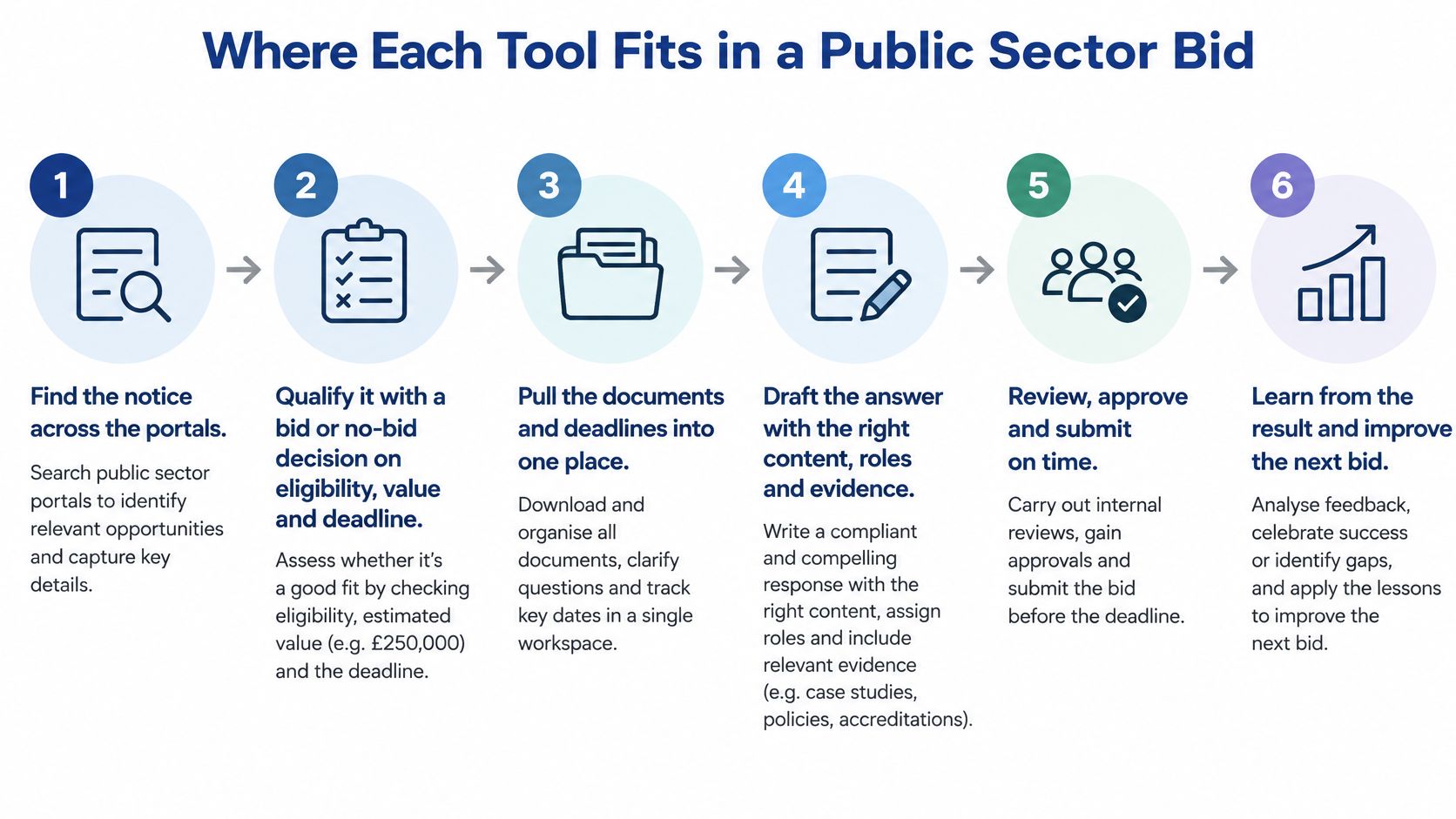
The flow usually sits with a bid manager, an SME owner, a bid writer, or a sales or BD director. Operations directors and procurement managers get pulled in when commercials or buyer process are in play. One person still has to own the closing time.
- Find the notice. Tender tracking owns this. You watch the portals that publish your buyers. The gap is every portal you don't watch. A CRM never sees the notice at all.
- Qualify it. Tender tracking still owns the bid or no-bid call on eligibility, value and deadline. It won't give you a cost-to-respond figure unless you add one. Before you pull evidence, multiply estimated response hours by your day rate and set that against contract value and honest odds. Ten hours on a £20,000 contract at one-in-five odds is a different call from the same ten hours on a £400,000 framework lot.
- Pull evidence. A knowledge base holds case studies, CVs and accreditations. Outdated certificates stay in the draft unless someone checks the dates.
- Draft the answers. The same knowledge base, with AI drafting, writes a first pass against each question. Every claim still needs a check against the source record.
- Review, approve and submit. A bid tool's approval step is where a human signs the file off before the closing time. If nobody owns that clock, the draft is finished and the bid is late.
- Record the result. A CRM usually holds this as a contact note. Win and loss reasons disappear unless you write them down. A BD platform can track pipeline value across all six stages, but it doesn't replace the notice, the evidence or the draft.
Our tender workflows for small bid teams show how one owner can keep stages 1 to 5 in one place instead of copying fields between logins.
| Stage | Owning category | Gap left behind |
|---|---|---|
| 1. Find the notice | Tender tracking | Missed notices on portals you don't watch |
| 2. Qualify the bid | Tender tracking | No cost-to-respond figure unless you add one |
| 3. Pull evidence | Knowledge base | Outdated CVs and certificates unless someone checks them |
| 4. Draft answers | Knowledge base with AI drafting | Claims that need checking against source records |
| 5. Review and submit | Bid tool approval step | Closing time missed if no one owns the deadline |
| 6. Record the result | CRM contact note | Reasons for a win or loss lost unless recorded |
Count the stages your current tools cover. Mark every place you copy a date, a lot or a case study by hand. Those handoffs are the actual cost, not the licence.
Where Public Sector Tenders Are Published
One feed is never enough. UK public contracts are split by nation, value and regime. A tool that only watches the portal you used last year will miss the notice that fits.
From 24 February 2025, Find a Tender became the publication service for both above- and below-threshold notices for new procurements under the Procurement Act 2023, except below-threshold notices in Scotland. Contracts Finder stays relevant for England and other non-devolved territories. Public Contracts Scotland, Sell2Wales, and Northern Ireland's eSourcing NI and eTendersNI cover their own jurisdictions. Below-threshold contracts over £12,000 including VAT, or over £30,000 outside central government, sit on the relevant portals.
| Portal | Jurisdiction | What it covers |
|---|---|---|
| Find a Tender | UK government, central and above-threshold | Main source for new Procurement Act notices, including below-threshold notices outside Scotland |
| Contracts Finder | England and other non-devolved areas | Lower-value work, with contracts over £12,000 including VAT for central government and over £30,000 for other bodies |
| Public Contracts Scotland | Scotland | Scottish public bodies, including below-threshold notices and supplier registration |
| Sell2Wales | Wales | Welsh public sector contracts, with free registration for current opportunities |
| eSourcing NI and eTendersNI | Northern Ireland | Northern Ireland public sector notices |
What daily monitoring actually filters
Bidwell watches every UK tender portal. That includes G-Cloud 13 call-offs, DOS 6 opportunities, and direct buyer notices on Contracts Finder and Find a Tender. Daily alerts can filter by nation, value and procurement regime. An AI summary then helps a bid manager decide which notices deserve a proper read, before anyone opens the full pack.
Tender monitoring is the first of the three core features. It only works if the sources match the buyers you can serve. A London IT firm and a Welsh facilities firm should not share the same saved search.
If part of the pipeline is commercial accounts rather than public notices, explore revenue operations opportunities from Revenue Nomad while you keep the procurement searches separate. Mixing the two in one inbox is how good notices get buried.
Set a saved search on each portal that covers your buyers, and check it weekly until a monitoring tool does the sweep for you. Write down the nation, the value band and the regime on each search. If a search returns nothing for a month, the filter is wrong or that buyer isn't publishing there.
How Your Knowledge Base Feeds AI Drafting
Tender monitoring finds the notice. The knowledge base holds your evidence. AI response generation drafts from that evidence, not from a blank prompt. Skip the middle step and the draft sounds fluent and fails a check.
The UK Government's 2025 AI Adoption Survey reports that 14% of microbusinesses and 36% of large businesses were using at least one AI technology. Smaller firms don't have an AI operations team. The setup has to be light, and a person has to be able to stop a bad sentence.
- Build the library once. Upload past responses, accreditations, case studies, policies and team CVs, or point the tool at your website. We learn the business from that material, then draft complete tender responses in hours instead of weeks.
- Check it is current. Recent figures, named staff and live certificates only. A 2022 case study with a leaver's name will get copied into the next bid if you leave it in.
- Match each question to evidence. For the new tender, tie every question to a source record before you generate anything. If nothing matches, that is a no-bid signal, not a prompt to invent.
- Generate a first pass per question. A draft can land in minutes from your case studies, methodologies and team biographies. Minutes, not a week of a writer starting from a blank page.
- Check every claim. The reviewer opens the source record beside the sentence. If the draft says you hold ISO 27001, the certificate has to be in the library and in date.
- Track the review. Note review time, correction rate and how often approved content gets reused. A 20 to 40 hour writing job should fall to about 2 to 4 hours of review. If it doesn't, the library is thin or the questions aren't matched.
Why the reviewer still owns the file
AI drafting is fast because the evidence was organised earlier. It is not fast because the model knows your business. Teams that paste a notice into a public chat tool get a generic answer and no audit trail.
A proper knowledge search, the kind devPulse enterprise search expertise describes for retrieval over company documents, is what keeps a sentence tied to a source. Without that link, you can't tell a true claim from a plausible one.
If you can't point at the certificate, the CV or the past answer, don't submit the sentence.
AI Disclosure and Confidentiality Rules to Check
People treat the model as the risk. It usually isn't. The risk is an unchecked claim that a reviewer signs and sends.
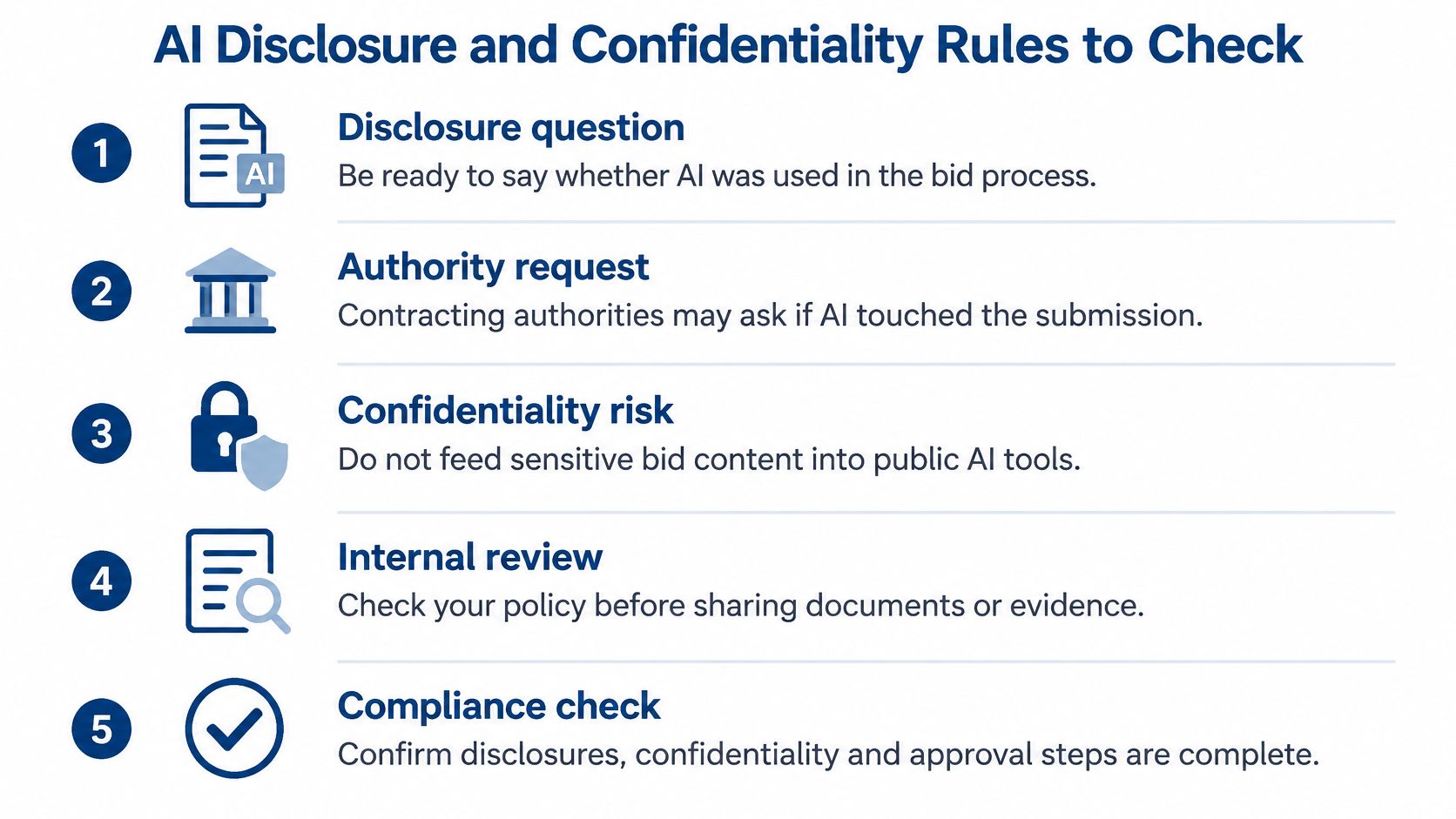
Suppliers' use of AI during a commercial process isn't prohibited. The PPN 02/24 guidance on AI in procurement says contracting authorities may ask bidders to disclose whether AI was used to create tender responses. The same guidance says you shouldn't use confidential authority information, or information that isn't already public, as training data.
The guidelines for AI procurement also tell buyers to think about data protection and security from the start, and to judge value for money. Expect the same questions back at you.
Run this before you submit:
- Your evidence only. Ground every answer in approved credentials, case studies and past responses. Never another buyer's confidential documents.
- A source record. Keep the record that produced each generated answer, so a query six months later still has a file behind it.
- A human read. Check accuracy, security commitments and value-for-money claims before the file leaves the building.
- Disclosure where asked. If the Invitation to Tender asks whether AI was used, say so. Don't wait to be challenged.
- Who sees the price. Our Know module uses role-based access, so commercials are only visible to people who need them.
Compliance and infosec leads usually own items two, four and five. Our notes for a compliance and infosec lead set out where that review sits next to the draft, without turning the bid manager into a second security team.
The myth to drop is that AI drafting is the breach. An unchecked sentence that a named reviewer approves is the breach. Write the reviewer's name on the approval step. If that name is missing, the bid isn't ready.
Features and Fees to Compare Before You Buy
Score a trial against the jobs a public bid needs. A long feature grid hides the two rows that cause the expensive mistakes, which are source data and pricing.
| Criterion | What good looks like | Red flag |
|---|---|---|
| Notice sources | Covers Find a Tender plus the devolved portals you bid in | Only one portal feed |
| Source data | Uses an API or bulk feed and keeps the original notice with version history | Scraped pages with no audit trail |
| Notice checks | Confirms closing date, buyer, value and lots before AI summarises | Summaries with no link to the source notice |
| Knowledge base | Ingests past responses, CVs and accreditations by upload or from a website | Manual copy and paste only |
| Access control | Role-based, so commercials show only to people who need them | Everyone can see pricing |
| Export | Drafts export to Word and Excel for final edits | Output locked inside the tool |
| Pricing | Clear add-on fees with no per-bid or per-seat charges | Fees that rise with each bid or user |
Source data you can defend
The Find a Tender API documentation describes an authenticated REST API using JSON, with notice search, rendering, attachments and submission information. Notice data can be downloaded in Open Contracting Data Standard JSON, mapped to OCDS version 1.1.5, with daily ZIP files of XML notice records.
A tool that uses those feeds can keep the original notice and its version history. When a deadline, a lot or a CPV code changes, you can show what the buyer published and when. Scraped pages can't. AI summaries should run only after the closing date, buyer, value and lots have been checked. The source notice stays the record.
Where the bill surprises you
Pricing is where trials go quiet. Our tender discovery add-on costs £10 a month. It watches every UK portal and surfaces tenders that match your sectors, frameworks and CPV codes. Pricing has no per-bid fees and no per-seat fees. Drafted responses export to Word and Excel, so the last edit can happen in the file your approver already uses.
General model subscriptions are a different product. AI subscription costs for research from BromeAI show what a research seat can cost before you assume a bid tool should charge the same way. A chat subscription doesn't watch portals, store your certificates or keep a version of the notice.
Run the same live tender through each tool in the trial. Score it on the table above. If the export is locked, or the fee jumps when a second writer logs in, stop there.
Pick the Tool That Fixes Your Bottleneck
The categories in the comparison table only matter once you name the step that currently fails. Buy that category first. Add the rest when it is working.
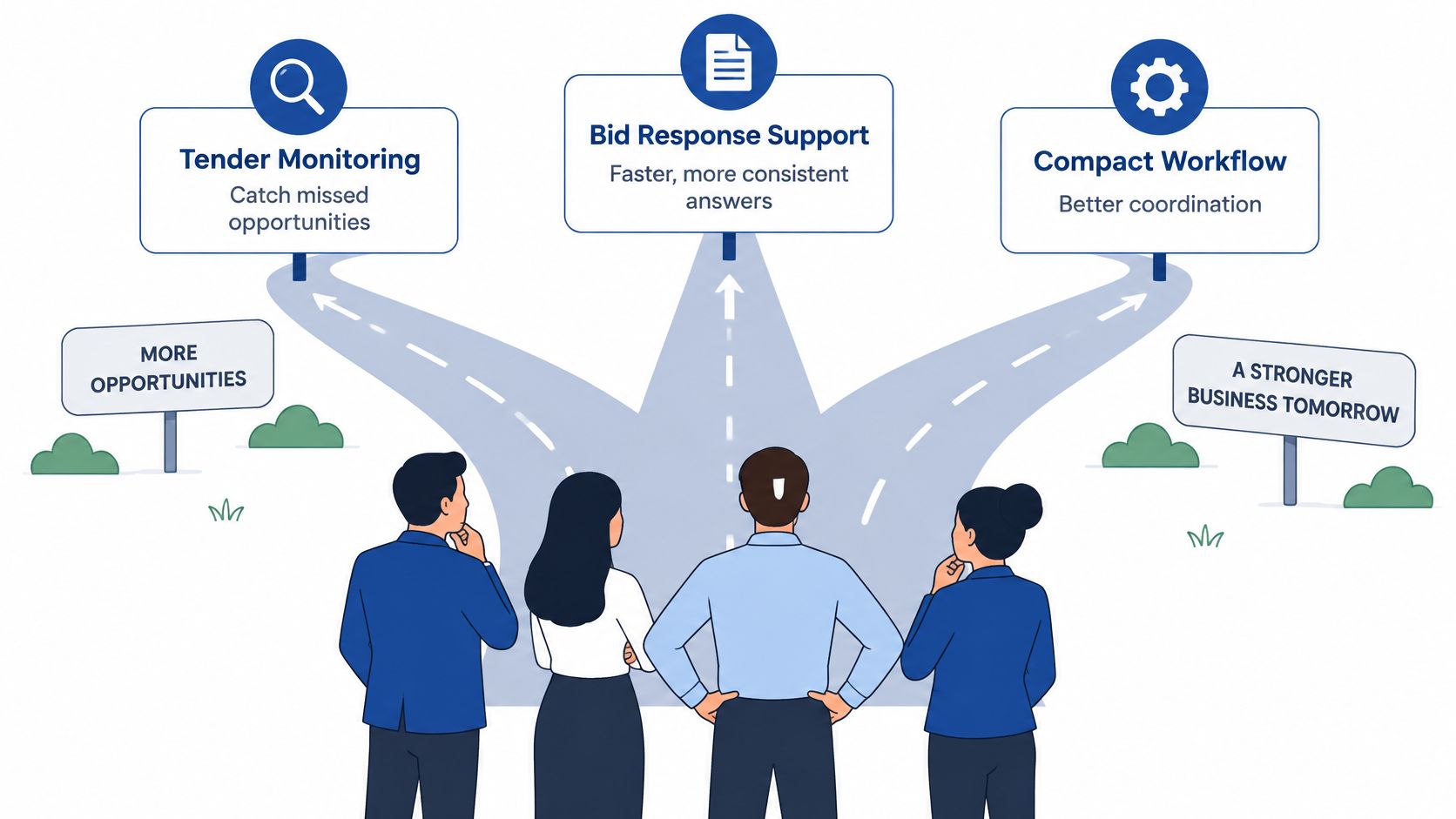
- You miss notices. Start with tender monitoring across the portals in your sectors. Don't buy a drafting tool for a pipeline you never see.
- Answers are slow or inconsistent. Start with a knowledge base and AI drafting. Monitoring more tenders will only create more blank documents.
- Follow-up falls over. Keep or add a CRM. It is the right home for the buyer relationship and the result note. It is the wrong home for the closing time.
- You can't tell which notices are worth the hours. Use our three free tools: the Tender readiness checker, the Framework eligibility tool and the Cost-to-respond estimator. Then decide.
For BD directors weighing pipeline value against bid hours, the notes for BD directors put that choice next to win rate and cycle time.
Run a 30-day trial on one live tender. Time the hours per qualified opportunity. Write the reason for any win or loss. Set that against the criteria table and a 20 to 40 hour writing load. I would fix the single worst bottleneck before adding another licence. One weekly action is enough. Open the oldest handoff, the place you still copy a date or a case study, and give that step an owner.
We help UK SMBs find public sector notices, keep credentials in a knowledge base, and draft tender responses from that evidence so review replaces a blank page. If your current business development software logs the buyer and misses the deadline, start with the notice-to-submission path instead of another contact database. Visit Bidwell and run one live tender through tender monitoring, your knowledge base and a checked first draft.


