
A tender lands on the Monday. By Tuesday someone's asking for the case study from the waste collection contract, the ISO certificate that hasn't expired, and the answer to the same social value question you wrote eighteen months ago. Somewhere in a shared drive, all three exist. Nobody's sure which version is the good one.
That gap between what your business knows and what your bid team can find is where the hours go. Not in the writing. In the hunting, the checking and the rewriting of something a colleague already wrote.
Knowledge management software is meant to close that gap. Sometimes it does. Sometimes it just gives the mess a monthly subscription.
What Knowledge Management Software Actually Does
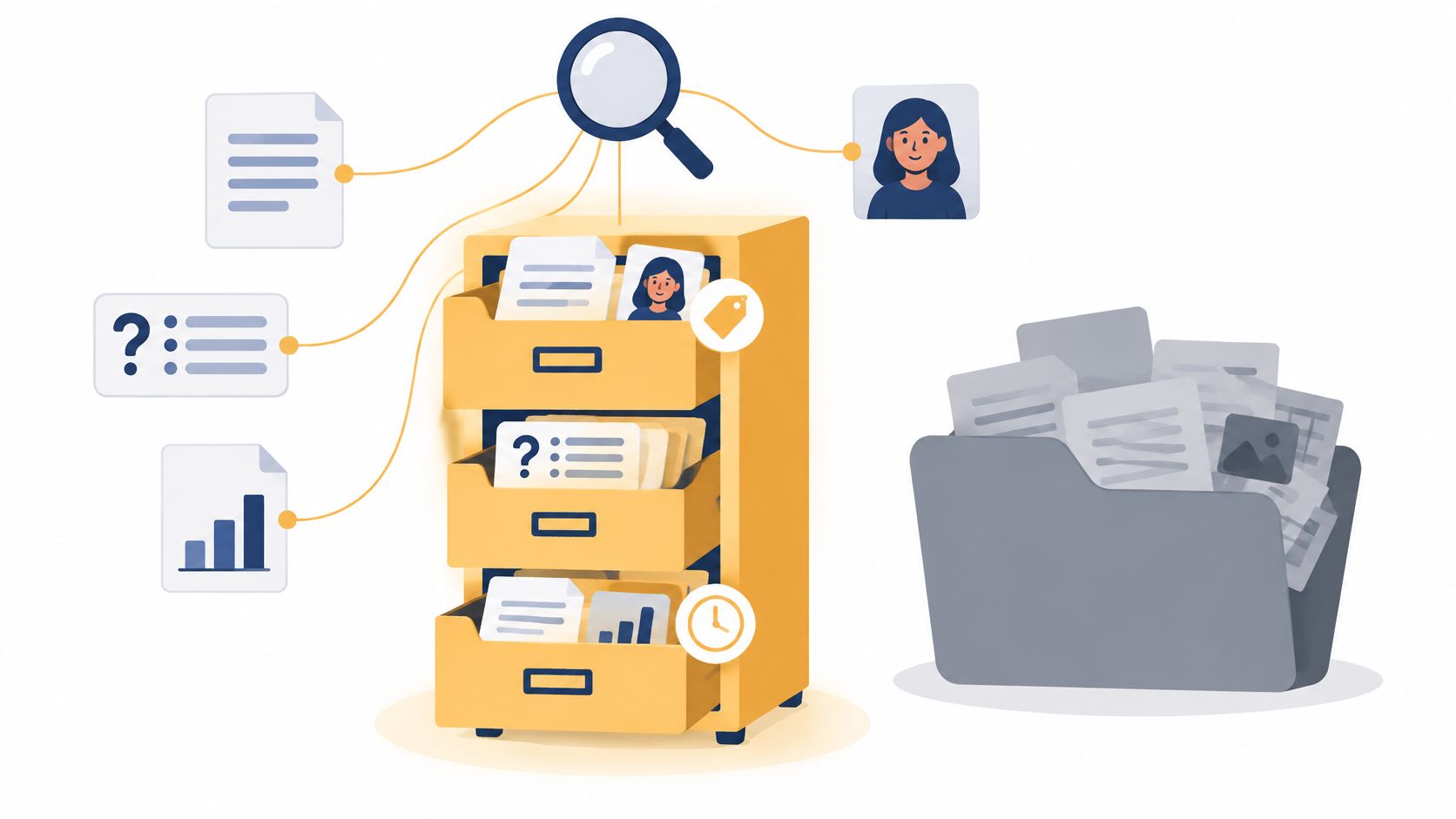
Knowledge management software holds a company's documents, answers and expertise in one searchable place, and keeps them owned, versioned and current. That's the job. Every other feature exists to serve it.
A shared drive stores files. Knowledge management software adds a layer on top: search that understands what a document is for, version history, a named owner on each item, and a way to separate live material from the material that went stale two years ago.
The stockroom comparison holds. A shared drive is a stockroom where boxes are labelled by whoever packed them, in whatever words they had that afternoon. Knowledge management software is the same stockroom with a stock controller who knows which box holds the current batch and which should have gone out with the recycling.
What searching costs when nothing is indexed
The cost of a stockroom with no controller is measurable. Research published in July 2022, based on 353 UK knowledge workers at organisations with more than 10,000 employees, found they spent an average of 97 minutes per working day searching for information they needed to do their jobs, as reported in the High Cost of Inaccessible Knowledge report. The same study found only 5% of UK respondents believed their knowledge was fully captured in documentation.
Treat that as a direction rather than a forecast for your own team. It's commissioned research among very large employers, not a survey of five-person bid teams. But the shape of the problem is right: the bigger the pile, the more of the day it eats.
The test I'd apply before buying anything: can you find it, can you see who owns it, and can you tell whether it's still current? A tool that fails any one of the three is a file store with better marketing.
Bidwell's knowledge base sits behind all three of its functions. Tender monitoring decides what's worth bidding for. The knowledge base holds the credentials, case studies and past responses. AI response generation drafts from that same material. None of it works if the content underneath is out of date. If you're building the content side from scratch, Franchise Foundry's knowledge base guide is a sensible walkthrough of structure and naming before you load anything.
Core Features and What Each One Solves
Every vendor will claim all seven features below. The feature name tells you almost nothing. What matters is whether each one works on your real documents, with your real deadlines, on a Tuesday when the portal is down and the deadline moved.
| Feature | What it does | Why a bid team needs it |
|---|---|---|
| Central repository | Holds documents, answers and case studies in one searchable place | Stops people hunting across inboxes and old project folders |
| Search by meaning and metadata | Finds the right answer even when the wording differs | A question about ISO 27001 should also surface an answer that says information security certification |
| Version history | Records how an answer changed from one bid to the next | Shows which wording won and which one lost |
| Ownership and expiry dates | Names who owns each item and when it needs review | Flags certificates and policies before they lapse |
| Role-based permissions | Limits access to commercial and pricing content | Keeps rates visible only to the people who set them |
| Source citation | Links each answer to the document that supports it | Lets a reviewer check a claim in seconds |
| AI-drafted answers | Builds a first draft from the matched material | Turns hours of copying into a review task |
Read the table in the order a buyer should test it
Start with the repository, because nothing else matters if your material can't get in. If your ISO certificates are scanned PDFs, your case studies live in Google Drive and half your accreditations are in a SharePoint folder nobody has opened since a restructure, a tool that can't ingest those is a non-starter. The Know module in Bidwell takes Word, PDF, Excel, PowerPoint, Google Drive and SharePoint files, and keeps a version history so you can see how an answer changed across bids. Role-based access keeps commercial content visible only to the people who need it.
Search comes second, and it's where most tools flatter themselves. Keyword matching finds your answer only when you use the same words the document used. Anyone who has typed "ISO 27001" into a base that filed everything under "information security certification" knows how that ends. Metadata-aware search lets you filter by sector, buyer, contract type and date, which is how a bid manager thinks.
The controls come third, and they're the part buyers skip. A bid needs an ISO 9001 certificate that expired in March. A tool without expiry tracking hands back the old PDF, and nobody notices until a reviewer squints at the date at final review. A better search ranking doesn't fix that. A field that says when the thing expires does.
A repository on its own isn't the goal. Features only pay off when people search the base and reuse what's in it.
Pick one row from that table this week and test it on a document you know well. If the tool fails there, it will fail louder under deadline pressure.
Loading Credentials and Past Responses Without Losing Control
A bid response from last year may contain useful evidence, but its staffing figures or certificates could already be out of date. Load material selectively, then check that the facts still hold before relying on it.
Bidwell's Know stage builds a searchable knowledge base from past responses, accreditations, case studies, policies, team CVs or the company website. Add documents by dragging and dropping Word, PDF and Excel files, or point Bidwell at the website to have it read those pages. Answers cite their source document, so reviewers can check the evidence rather than trust a result without context.
What to tag and how often to check it
| Asset | Tags to add | How often to check |
|---|---|---|
| ISO and other certificates | Issuing body, scope, issue date, expiry date | Before every bid and 90 days before expiry |
| Past tender responses | Buyer, sector, contract type, submission date, outcome | After each award or loss decision |
| Case studies | Sector, service, client size, measurable result, client consent date | Yearly, and when a project closes |
| Team CVs | Role, qualifications, years of relevant experience, availability | Quarterly, and whenever someone joins or leaves |
| Policies | Policy owner, approval date, next review date | On each scheduled review date |
| Insurance and financial evidence | Amount, currency, cover period, issuer | Before every bid and at renewal |
| Company website pages | Page address, owner, date last updated | After each site change |
Load the shortlist, not the archive. Start with the answers your team reuses most and add the rest as needed. A smaller, current base is more useful than a large collection of unreviewed files.
The Know module includes a certificate and policy expiry tracker with renewal reminders. Bidwell also reads your website and matches case studies and team CVs to each opportunity automatically.
Before adding an old response, check that its claims still hold. A stale staff number in a capability statement can undermine an otherwise sound answer, so treat each document as evidence to review, not just content to store.
Connecting Your Base to the Tools You Already Use
A knowledge base is only as good as what feeds it. Run this checklist against your own file stores this week.
- Start with the live sources. Usually SharePoint and Google Drive, then the shared folder where past bids are archived. Leave the legacy drive alone until you've decided whether its contents are still true.
- Connect one source at a time. After the first sync, search for a document you know well and compare its version and date against the original. If they differ, stop and fix it before adding more.
- Name one owner per source. One updated file changes in one place. Two libraries means two truths and a reviewer who can't tell which one is current.
- Match the sync to how often facts change. Daily for live contracts and active project material, monthly for policies and boilerplate.
- Test permissions after every connection. Confirm a restricted pricing folder stays hidden from anyone outside the commercial group before you upload the next batch.
- Keep a record of what's connected and who approved it. A departing employee shouldn't leave behind an orphan feed that nobody dares switch off.
One more connection people forget: the outcomes recorded in your tender tools need to reach the base. If a loss debrief sits in a bid tracker while the knowledge base carries on unchanged, the lesson dies where it was written.
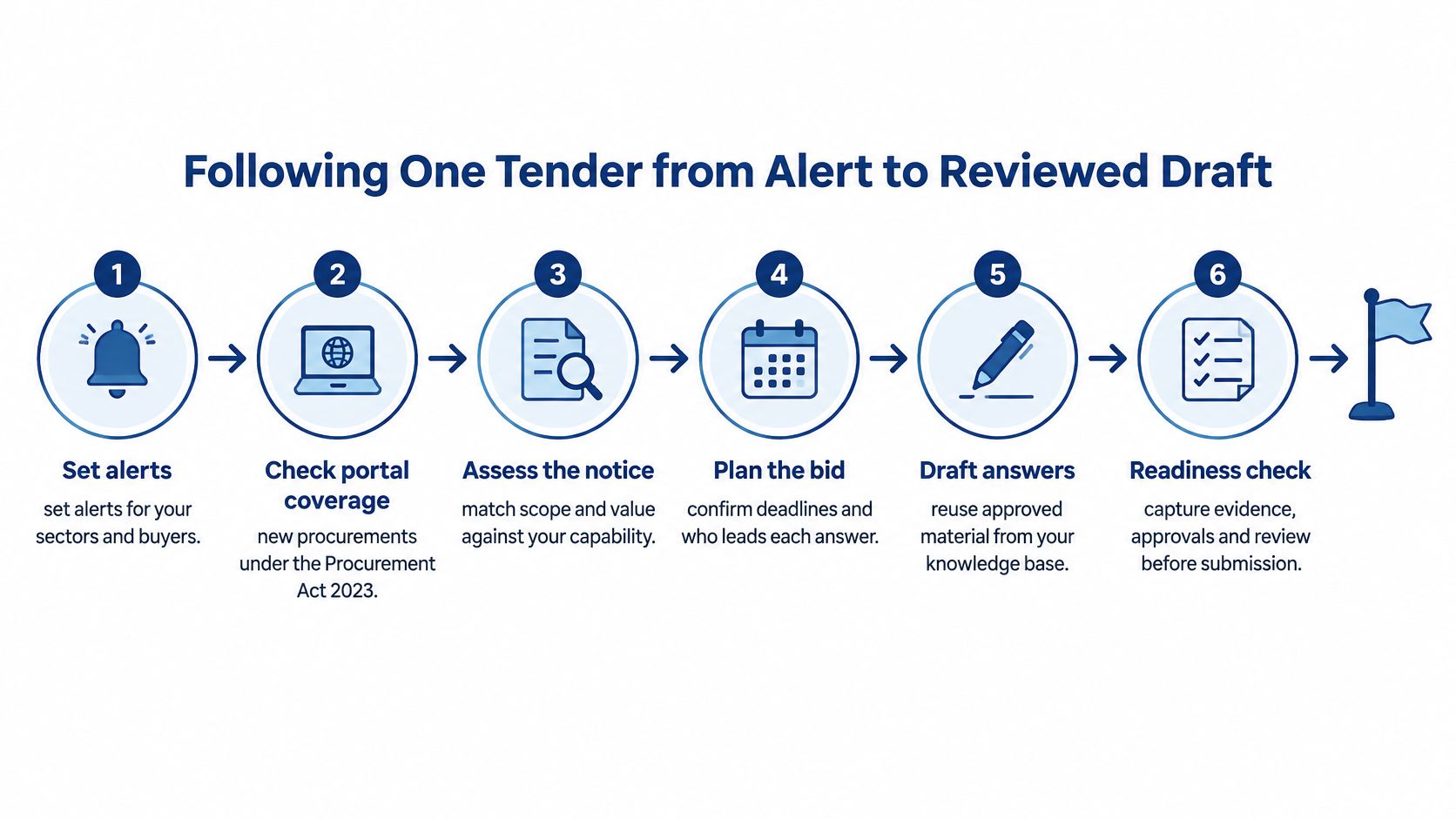
Following One Tender from Alert to Reviewed Draft
A tender is a sequence, not a document. Get the sequence right and the writing takes hours instead of weeks. Get it wrong and you spend three days on something you were never going to win.
Find it, score it, mark it
Step 1. Set your alerts, then check the portals behind them. UK publication rules changed on 24 February 2025. For new procurements under the Procurement Act 2023, above and below-threshold notices are generally published on Find a Tender, though below-threshold Scottish opportunities sit outside that route. Earlier procurements follow the old system, where above-threshold notices are usually on Find a Tender and below-threshold ones may appear on Contracts Finder, Public Contracts Scotland, Sell2Wales, eSourcing NI or eTendersNI, as set out in the Cabinet Office guidance on publishing notices. For older procurements the published thresholds included £12,000 including VAT for central government and £30,000 for sub-central authorities, NHS trusts and NHS foundation trusts. Any monitoring tool that treats every UK notice as if it followed one rule will miss things.
Watch the pipeline, not just the deadline. Pipeline notices, known as UK1 notices, must be published on Find a Tender for intended requirements valued above £2 million, according to Find a Tender's notice type guidance. That's an early warning, which means you can prepare credentials and case studies before the formal notice exists.
Step 2. Score the opportunity against your base before you commit time. This is the step teams skip, and it's the one that decides whether the bid is worth doing. Bidwell scores each UK tender it finds against your knowledge base, so you can see how much of the required evidence you already hold. If the honest answer is "most of it", proceed. If it's "we'd be writing from nothing", that's the moment to say no.
Step 3. Mark the mandatory questions first. Pass or fail criteria, minimum turnover, insurance levels, certifications. Answer these before you write a word of prose.
Draft, review, export
Step 4. Drop the blank tender or PQQ in. In the Draft stage, Bidwell extracts every question, matches it to the knowledge base and drafts answers in your voice with citations for you to review. You're not starting at a blank page. You're starting at a first draft that already points at its sources.
Step 5. Review each draft by opening the source. Check the date. Rewrite anything the evidence doesn't support, rather than softening the claim. Reviewing a draft is easier when you can interrogate the base directly; a unified AI chat assistant across your documents follows the same discipline, in that every answer should point back to the file it came from.
Step 6. Export to Word or Excel and submit. Keep the exported copy alongside the response record so the next bid starts from what was sent, not what you meant to send.
Close the loop
Step 7. Record the result. When a tender is won, the response goes back into the knowledge base. When it's lost, the feedback goes back too. That's how the base gets sharper instead of just bigger.
The reviewer's job now is checking evidence rather than writing from scratch, so review time is the number that decides whether a bid is worth doing. You can see how this runs end to end in Bidwell's tender monitoring workflow.
Readiness check before you press submit: a colleague finds an answer in under a minute, you can see where it came from, and nothing in the response carries an expired date.
Keeping Answers Trustworthy as Your Base Grows
More documents can make answers worse. That's the uncomfortable part of knowledge management nobody puts on a pricing page. If a system can't distinguish authoritative material from an old draft, a duplicated case study or a superseded policy, every addition dilutes the answer.
The fix is governance, not more content. The Government Functional Standard GovS 005 on digital defines knowledge and information management as ensuring knowledge, information and data are available, reliable and usable for service delivery, assurance and decision-making. In practice that means every item carries an owner, a date, an evidence status and an expiry date, so a retrieval system can pick relevant evidence rather than relying on keyword similarity.
That has a direct effect on bid quality. Controlled metadata improves findability, and better findability cuts duplicated research and the risk of an obsolete or unsupported claim landing in a tender response.
Six measures worth tracking monthly
| Metric | What it tells you | How to capture it |
|---|---|---|
| Median time to find evidence | Whether search is working | Time from a question to an approved answer, sampled across recent bids |
| Share of claims with source links | Whether answers are traceable | Linked claims divided by total claims in a sample of drafts |
| Reuse rate of approved content | Whether the base is actually used | Approved answers reused divided by answers drafted |
| Reviewer correction time | Whether drafts are close to usable | Minutes a reviewer spends editing each drafted section |
| Stale content rate | Whether items past expiry or review are still live | Items past their review date divided by total items |
| Unsupported claim rate | Whether drafts assert things the base can't back | Claims flagged in review divided by claims checked |
Take these monthly, from a sample of real bids. A one-off audit tells you about one afternoon.
There's a benchmark worth knowing but not copying. The cross-government Microsoft 365 Copilot findings report found civil-service participants saved an average of 26 minutes per day using the tool. That was a general workplace assistant, not a bid platform, so measure your own review time rather than borrowing a number from a different context.
Run a monthly routine: review everything past its expiry date, check ten drafted claims against their sources, log the corrections, and merge or retire duplicates. If reviewers keep rewriting the same staffing claim, the base probably holds two conflicting CVs and one of them needs marking as current. Bidwell cites the source document for each answer, takes loss feedback from each lost bid back into the knowledge base, and keeps version history so you can see how an answer changed. Teams handling security questionnaires hit the same problem in a sharper form, which is why answers to security questionnaires depend on evidence that hasn't drifted.
Every AI-generated passage should trace to a named source that a person has approved. If it can't, it isn't knowledge. It's a guess with good grammar.
Choosing Software for a Small Bid Team
The question that decides most small purchases isn't on any feature list. Would a well-organised shared drive and one approved answers document do the job? For plenty of firms, it would.
The constraint for small organisations is adoption, not functionality. Buying a platform doesn't create knowledge sharing. The government's AI adoption research, published in 2026, found 71% of businesses cited no identified AI use case as a barrier, 60% cited limited AI skills or expertise, and 29% said AI projects were too complex to integrate and scale. Those figures concern AI adoption rather than knowledge platforms specifically, but the pattern transfers. Start with one narrow, measurable workflow, such as approved answers to your recurring tender questions, rather than trying to centralise every document the company owns.
Fit before features
| Criterion | Question to ask | Good answer |
|---|---|---|
| Data export | Can we take the whole knowledge base out, and when? | Any time, in a standard format, with no extra charge |
| Training use | Are our documents, past wins and policies used to train shared models? | No, they stay within our account |
| Pricing model | Are there per-bid or per-seat fees? | A clear price that doesn't rise with each bid or user |
| Portal coverage | Which tender portals does monitoring cover, and does it apply the right publication rules? | Named portals, with date-aware filtering for the Procurement Act 2023 |
| Integration | Does it connect to SharePoint and Google Drive, and our other tools? | Yes for the file stores we already use, with a sync we can check |
| Role-based access | Can we restrict commercial content to named people? | Yes, set per document or folder |
| Time to first answer | How long from sign-up to a searchable answer? | Minutes for a first set of answers, with no card needed to start |
Ask every vendor for each answer in writing. Verbal assurances about data export have a habit of becoming migration fees eighteen months later.
For comparison, here's where Bidwell stands on the three that decide most deals. The knowledge base can be exported whenever you want. Your knowledge base, past wins and policies aren't used to train shared models. Pricing has no per-bid fees and no per-seat fees. Put the same questions to anyone else on your shortlist.
Consider the arithmetic of a small base. A three-person team bidding twice a month may get more from fifty well-tagged answers than from a dump of two thousand files, because the reviewer's job shrinks to checking evidence instead of wading through noise. A sprawling base that nobody trusts performs worse than a curated one that everybody does.
When you probably don't need this yet: you bid once or twice a year, you have fewer than a dozen reusable answers, and the shared drive genuinely works. Wait.
If you're running regular public sector bids with a small team, Bidwell for bid managers is the workflow to test against your own documents.
Bidwell monitors Find a Tender, Contracts Finder, Public Contracts Scotland and Sell2Wales, scores each opportunity against your knowledge base, and drafts answers from evidence you've already approved, with the source cited on every claim. You can build the base from past responses, ISO certificates, case studies, team CVs or your own website, and keep it governed with owners, expiry dates and version history as it grows. Visit Bidwell to see what your past bids look like once they're searchable.

